An independent repair shop runs on judgment calls made quickly: whether to take the job, what to quote, which tech to put on it, whether the part is worth ordering. Software earns its place by making those calls easier to make, not by adding steps.
MRPULZ keeps the whole job on one ticket — the vehicle, the estimate, the customer approval, the parts, the bay slot, the technician, the payment. What the shop made on it is calculated from the same record, at real parts cost and real technician pay.
What matters in this trade
Estimates the customer can approve without coming in
Send the quote, let them approve it from their phone, and the job moves to the next stage on its own. No second call to confirm.
Flat-rate and hourly on the same payroll
Flagged hours for flat-rate techs, clocked hours for hourly staff, and both on one technician if that is how the shop pays. Efficiency is flagged against actual.
Margin you can trust on a finished job
Parts carry their cost from the moment they are ordered, and the workflow checks for any that were missed before a job is closed out. What the job made is calculated from real numbers rather than assumed ones.
Vehicle history that survives a change of owner
The service record belongs to the vehicle, not the customer. What was fitted, what it cost and who did it, searchable by plate or VIN.
Photos from the bay
Technicians upload from their own phone with no app to install. The photos attach to the ticket and can go straight into a social post.
The parts you will use most
Work orders
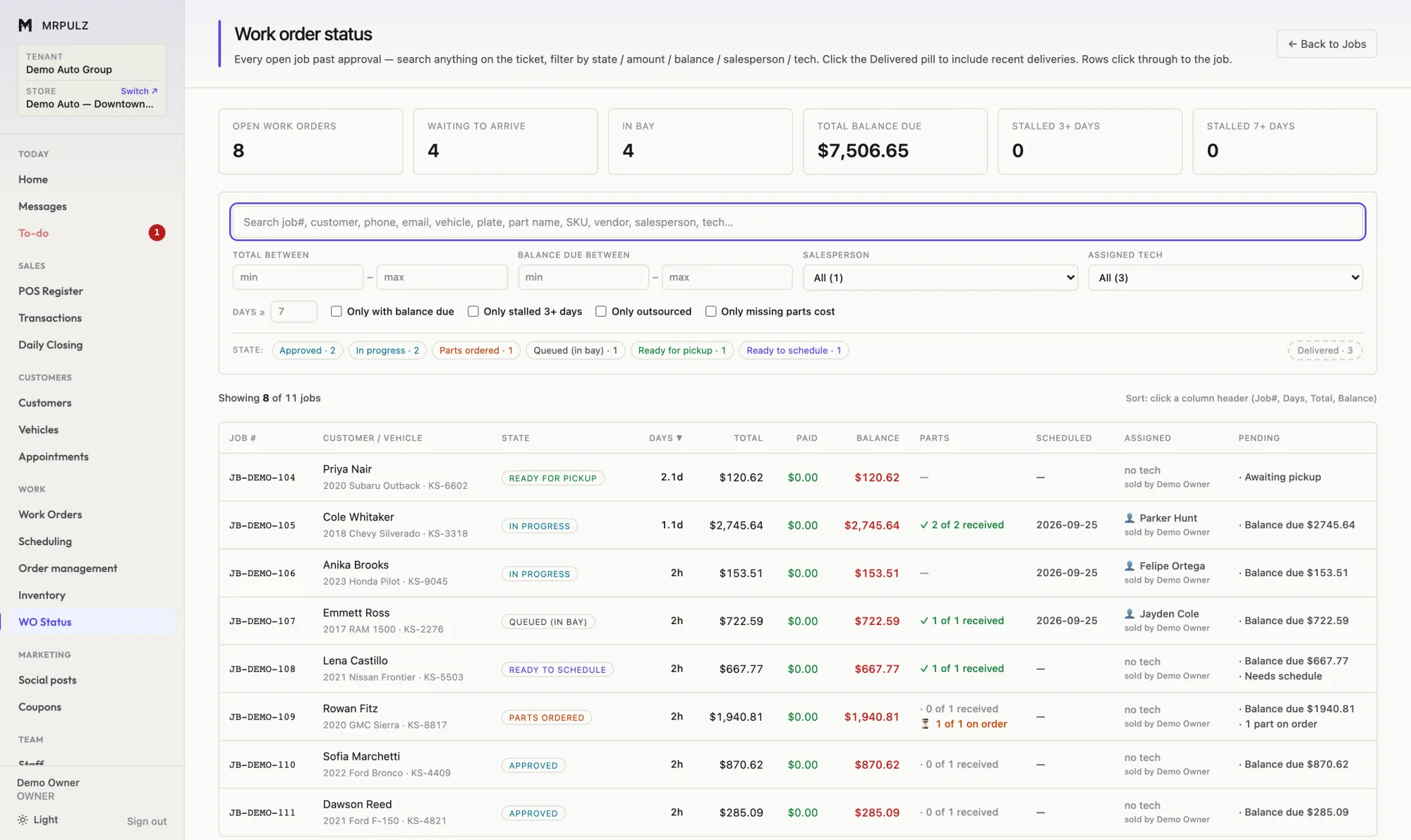
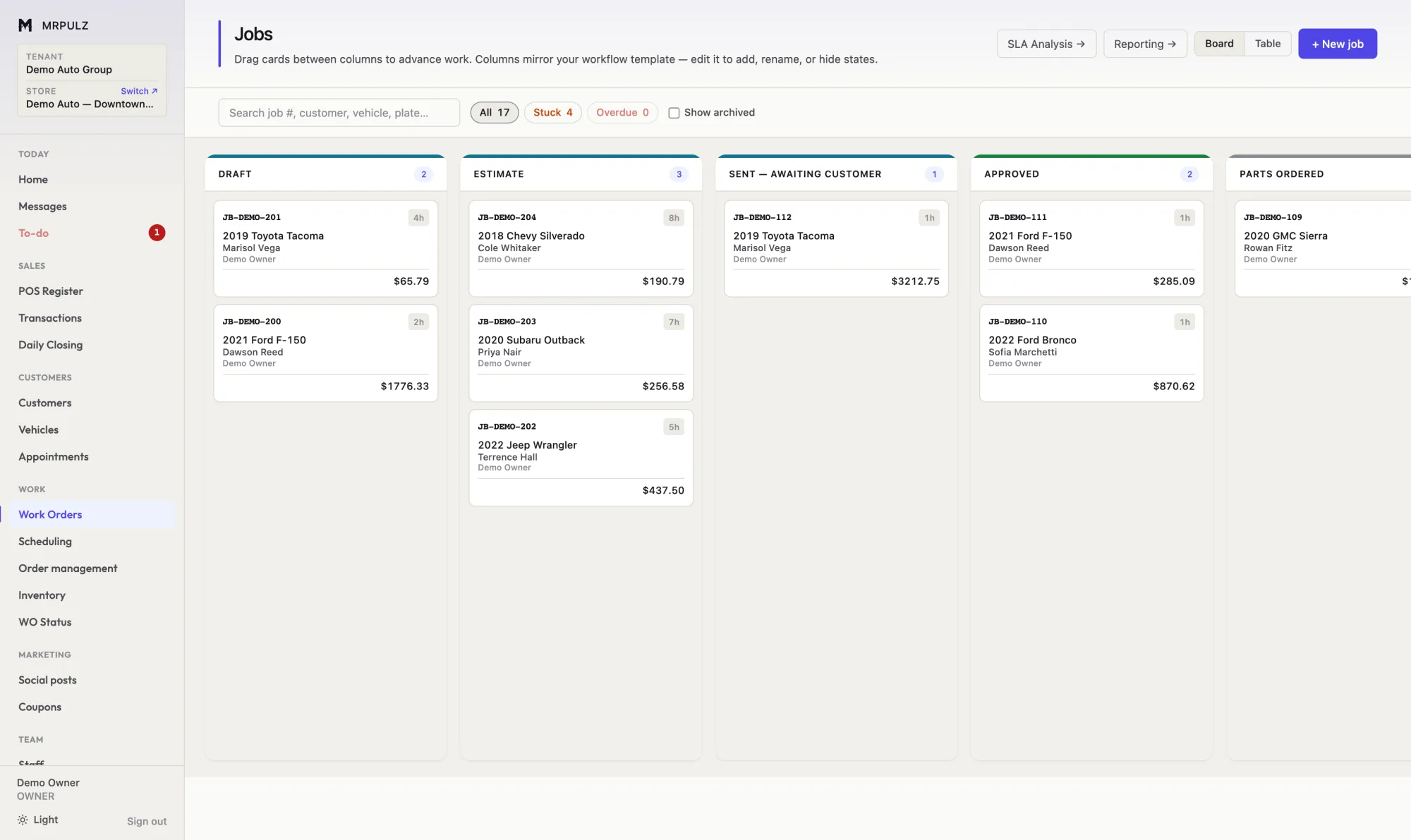
A work order in MRPULZ is one record from first quote to final payment. It carries the customer, the vehicle, the parts, the labor, the technician, the photos and the money — so nothing has to be re-keyed and nothing gets remembered wrong.
- Drag a job between stages, or advance it from the ticket
- Configurable stages per trade — no fixed pipeline
- Gates that block a move until the ticket is ready
- Stuck and overdue jobs surfaced automatically
- Photos on the ticket, from any phone, no app to install
Parts & purchasing
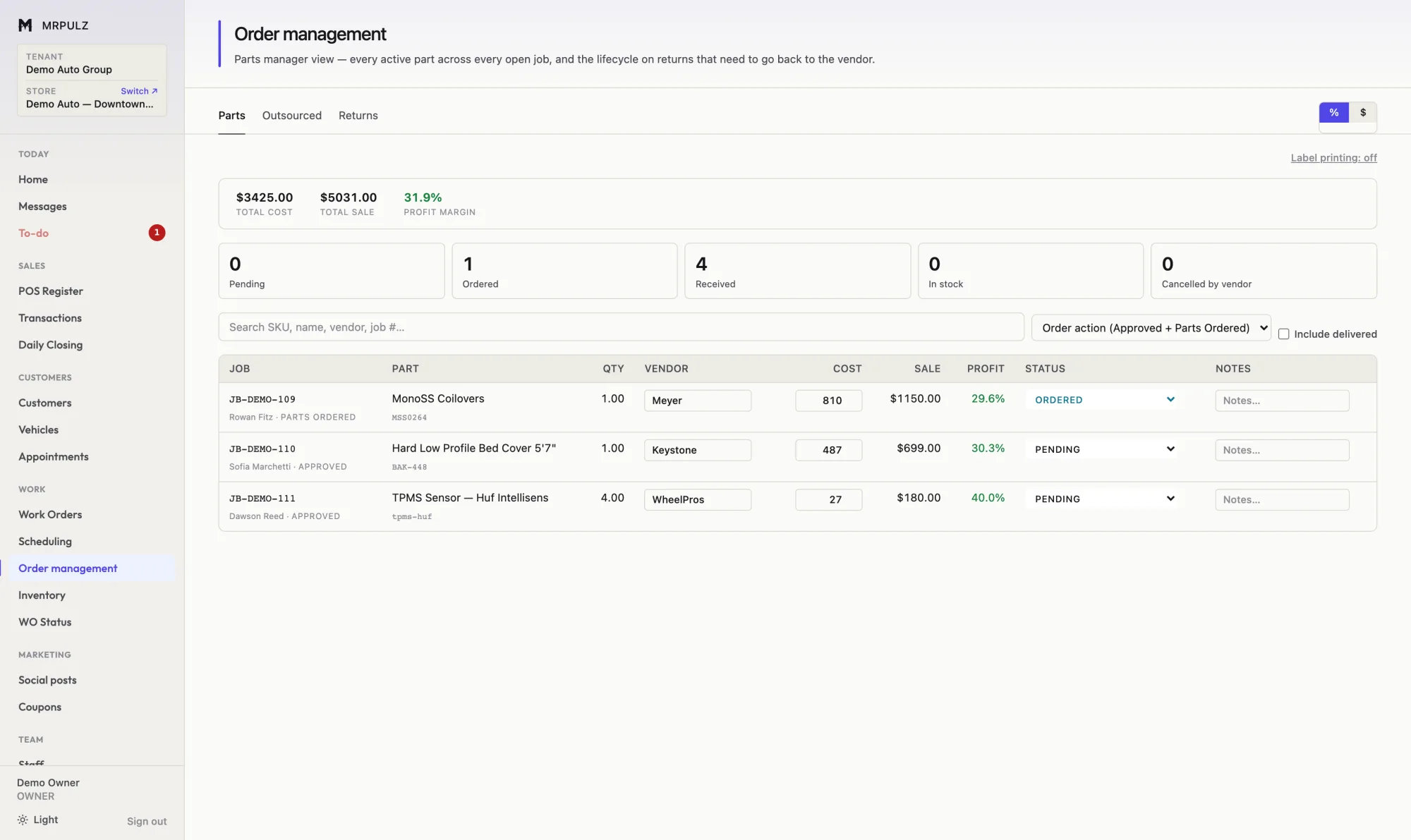
Parts are ordered against the job that needs them. Each line carries the vendor, the cost, the sale price and the resulting margin — visible before the order goes out, not discovered at month end.
- Purchase orders raised straight from a job
- Vendor, cost, sale and margin on every line
- Cost auto-filled from inventory when the part is in stock
- A delivery check for parts with no cost recorded
- Vendor returns and credits tracked against the original order
Scheduling
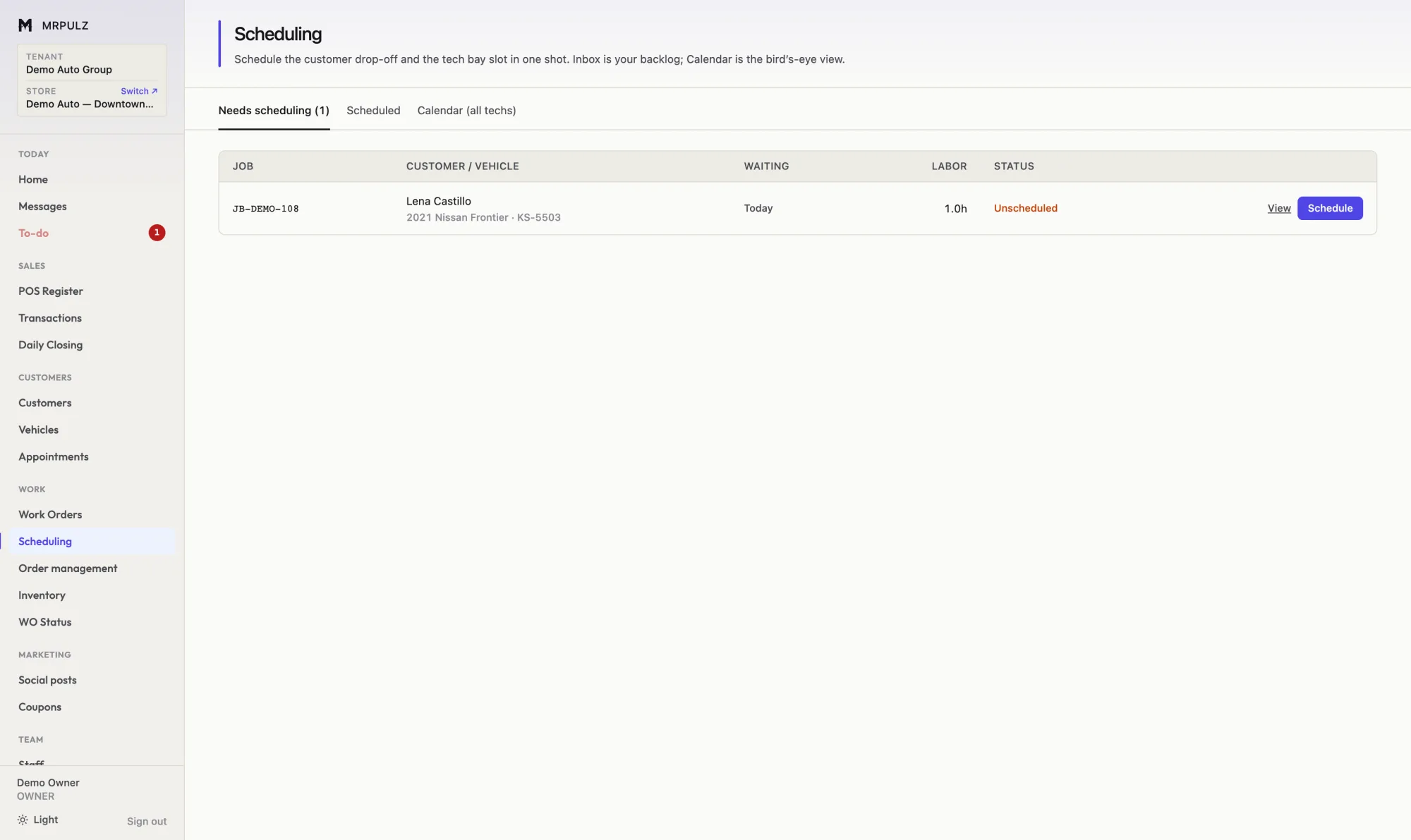
Scheduling covers both halves: when the customer is dropping the vehicle off, and which technician has the hours to do the work. Booking one without the other is how a shop ends up with four cars and one available tech.
- Customer drop-off and technician slot booked together
- A backlog of approved work waiting to be scheduled
- Week view across all technicians, or one tech at a time
- Estimated hours per job, so a day is not overbooked
- Appointment reminders by text or email
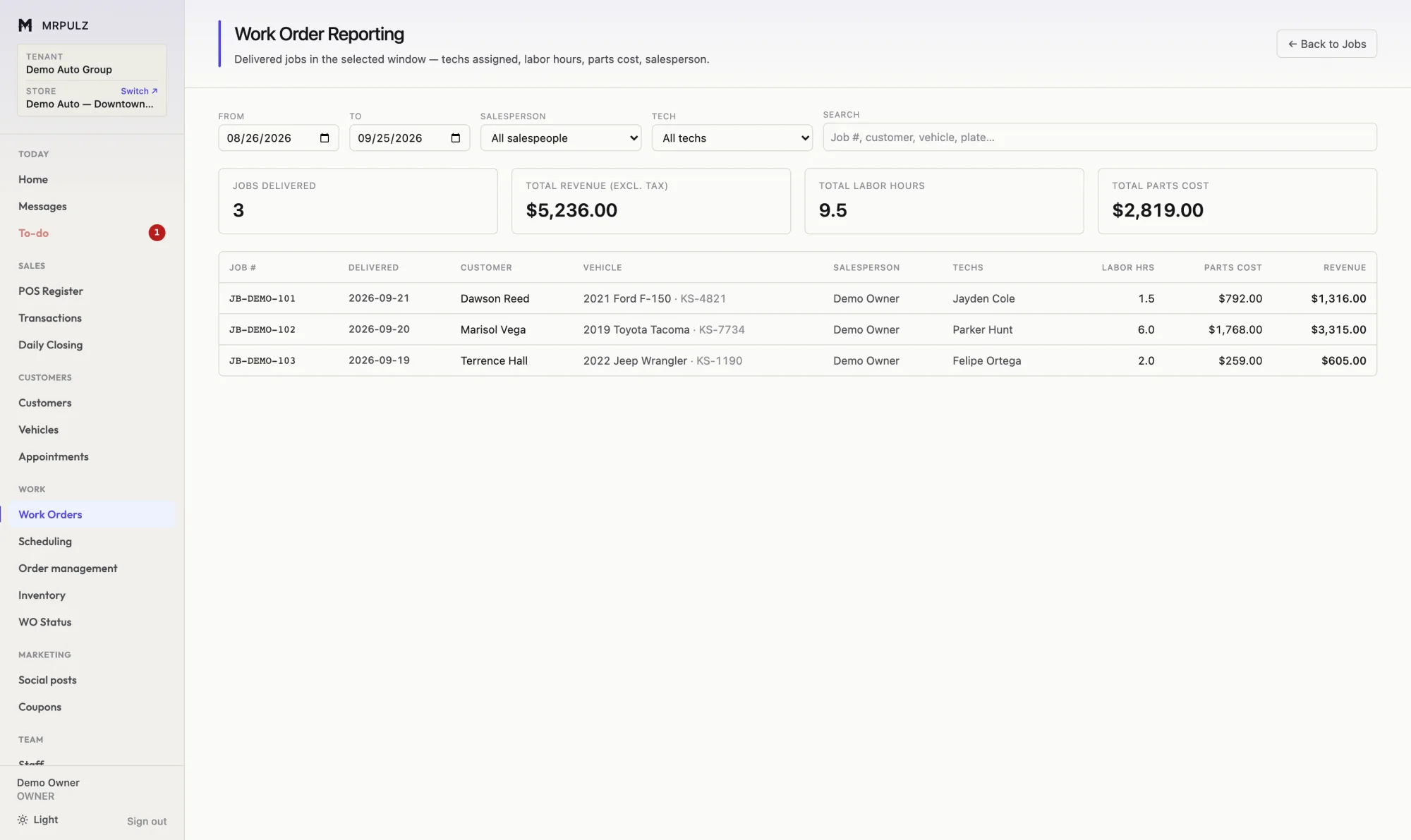
Reporting
Job profit starts from what the customer actually paid and works down: parts at cost, technician pay at whatever the tech is actually paid, tax that was collected on behalf of the state, card fees, discounts given at the counter. What is left is what the shop kept.
- Per-job profit after parts, labor, tax, fees and discounts
- Every percentage against one denominator, so they compare
- Technician flag hours against hours actually taken
- Days from approval to delivery, per job and averaged
- Sales by item, category, customer and salesperson
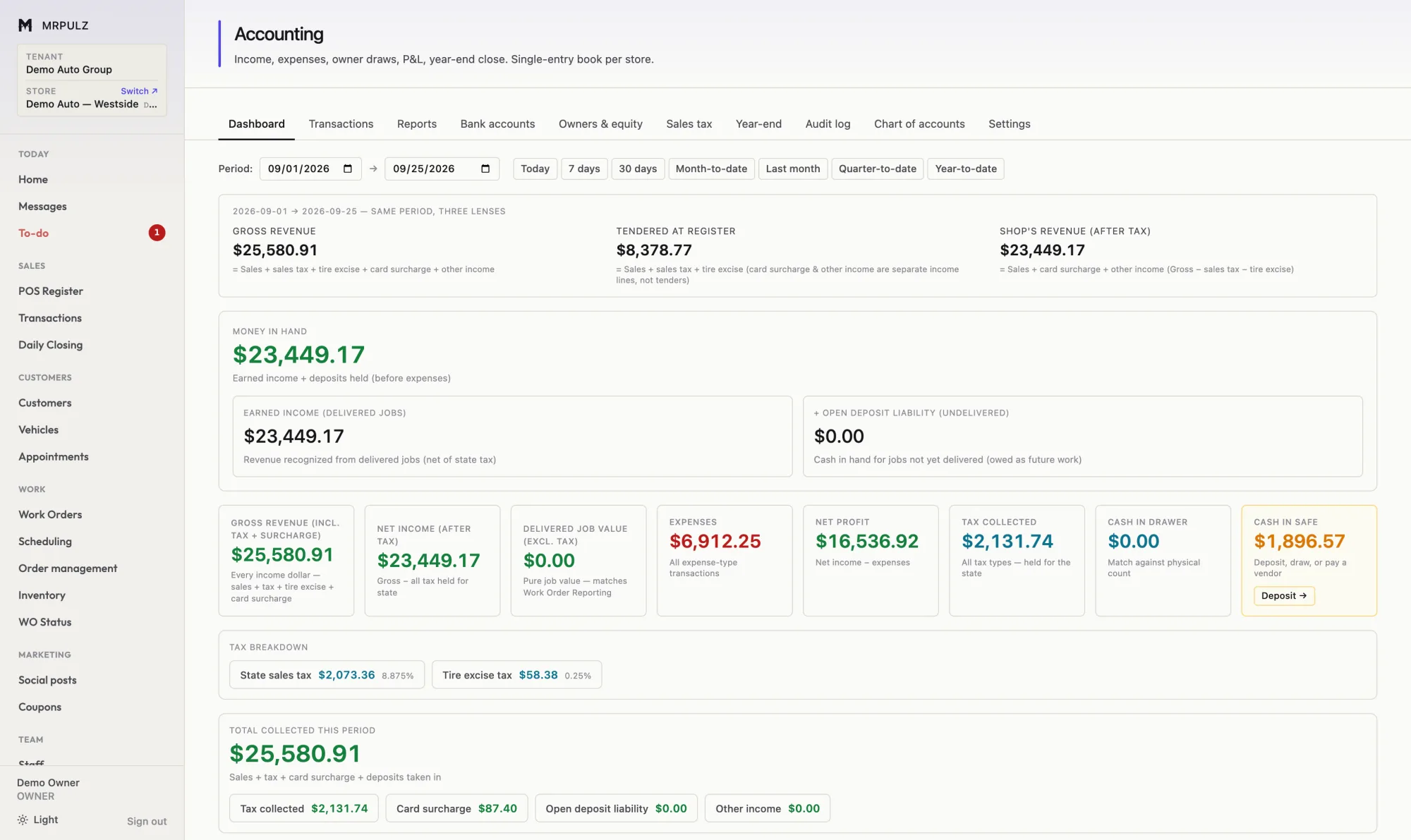
Accounting
Every sale, deposit, refund, card fee and technician hour posts to the books as it happens. The P&L is current because nothing is waiting to be entered.
- Sales, refunds, deposits and card fees posted automatically
- Deposits on undelivered work shown as a liability
- Sales tax and tire excise tracked as held, not earned
- Owner draws and capital kept out of operating profit
- Bank statement import with matching
Put one of your own jobs through it
14 days with everything switched on and no card on file. If it does not fit how you work, nothing happens when the trial ends.
Start free