An independent shop does not need an enterprise retail suite. It needs a till that is quick at the counter, stock figures that match the shelf, and books that are current without a bookkeeping day every month.
MRPULZ gives you all three off one record. The sale moves the stock and posts to the ledger as it happens, so the three never drift apart.
What matters in this trade
Quick at the counter
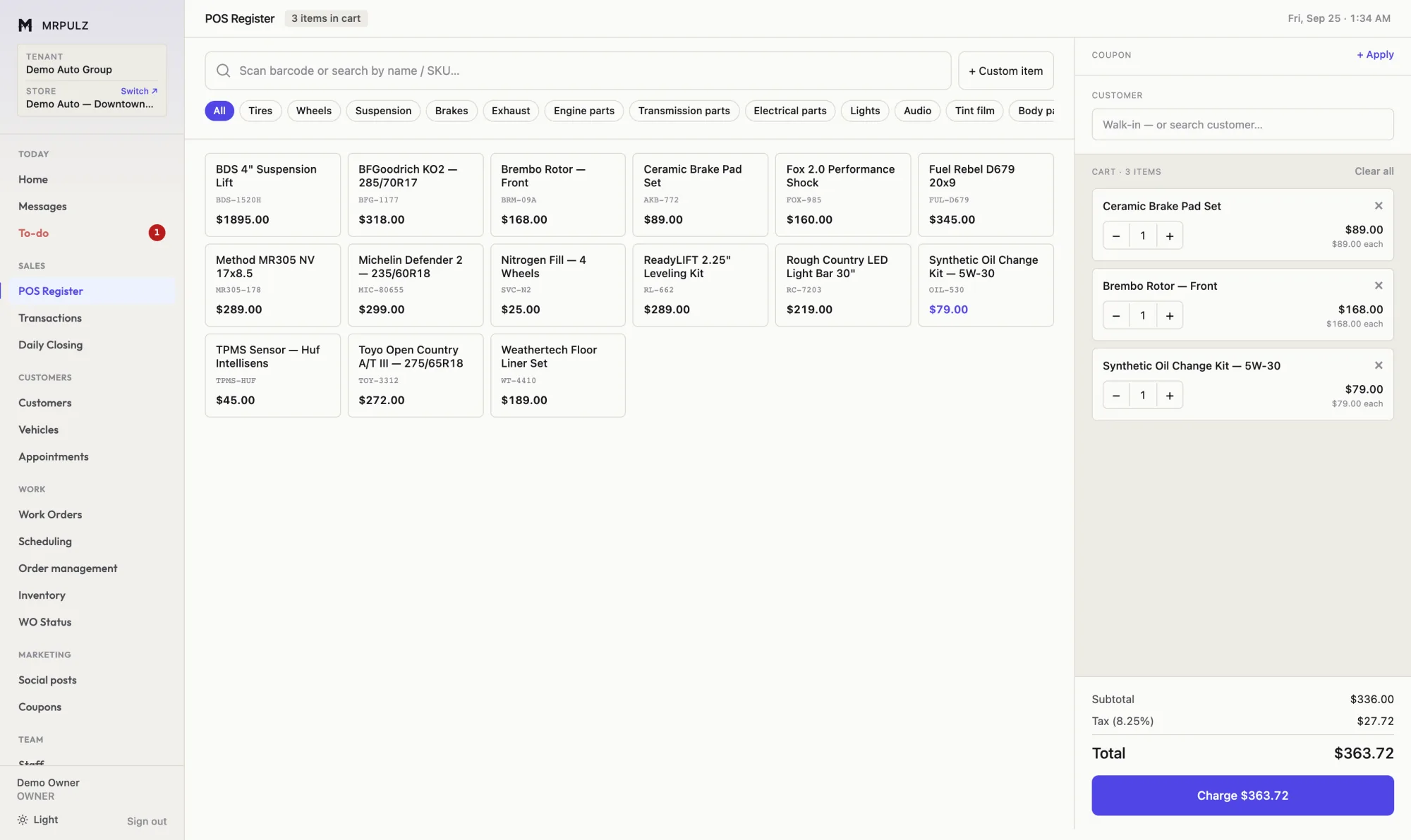
Barcode scanning, product tiles by category, split payments and a receipt out by print, email or text.
A drawer that has to reconcile
Daily closing counts the drawer against what the system expects and records the difference, rather than letting it disappear.
Returns against the original sale
Refunds and exchanges are linked to what was actually sold, so the stock and the books both move the right way.
Customers and store credit
Balances, deposits and store credit are held on the customer record and honored at the till.
A second shop when you are ready
Each location keeps its own stock and books while sharing your people, roles and process. Adding one is a form.
The parts you will use most
Point of sale
The register rings parts, labor and service off the same catalog the work orders use, so a price change happens once. Scan a barcode or tap a tile; stock comes down as it sells.
- Barcode scanning and tap-to-add product tiles
- Split tender across cash, card and store credit
- Card fees recorded separately from revenue
- Refunds and returns tracked against the original sale
- Receipts printed, emailed or texted
Inventory
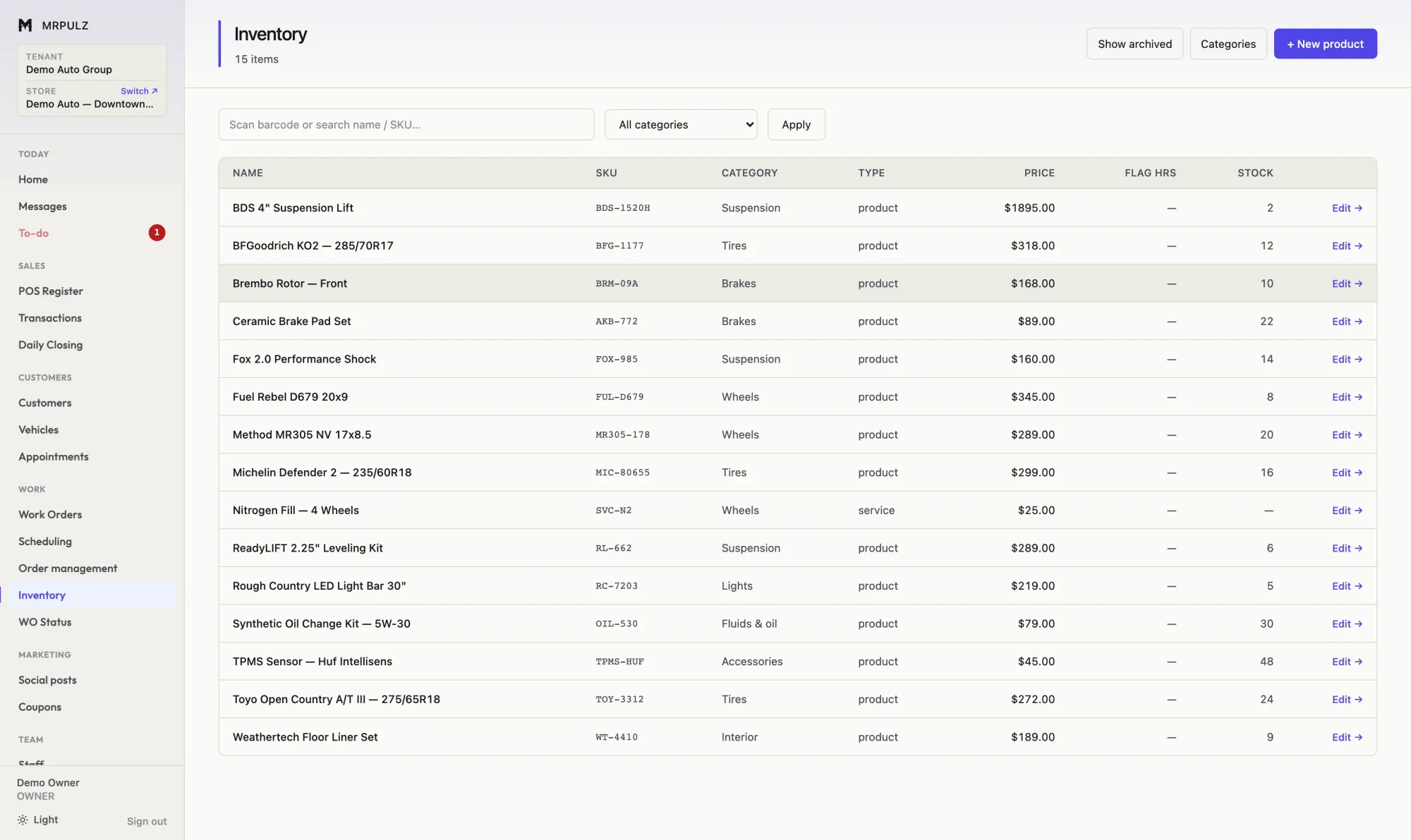
There is one catalog. The register sells from it, work orders draw parts from it, purchase orders restock it, and a price change lands everywhere at once.
- One catalog behind the register, jobs and purchasing
- Stock adjusts on sale, on job use and on receipt
- Per-item low-stock thresholds
- Cost and price tracked together for real margin
- Barcodes and SKUs, with scanner support
Accounting
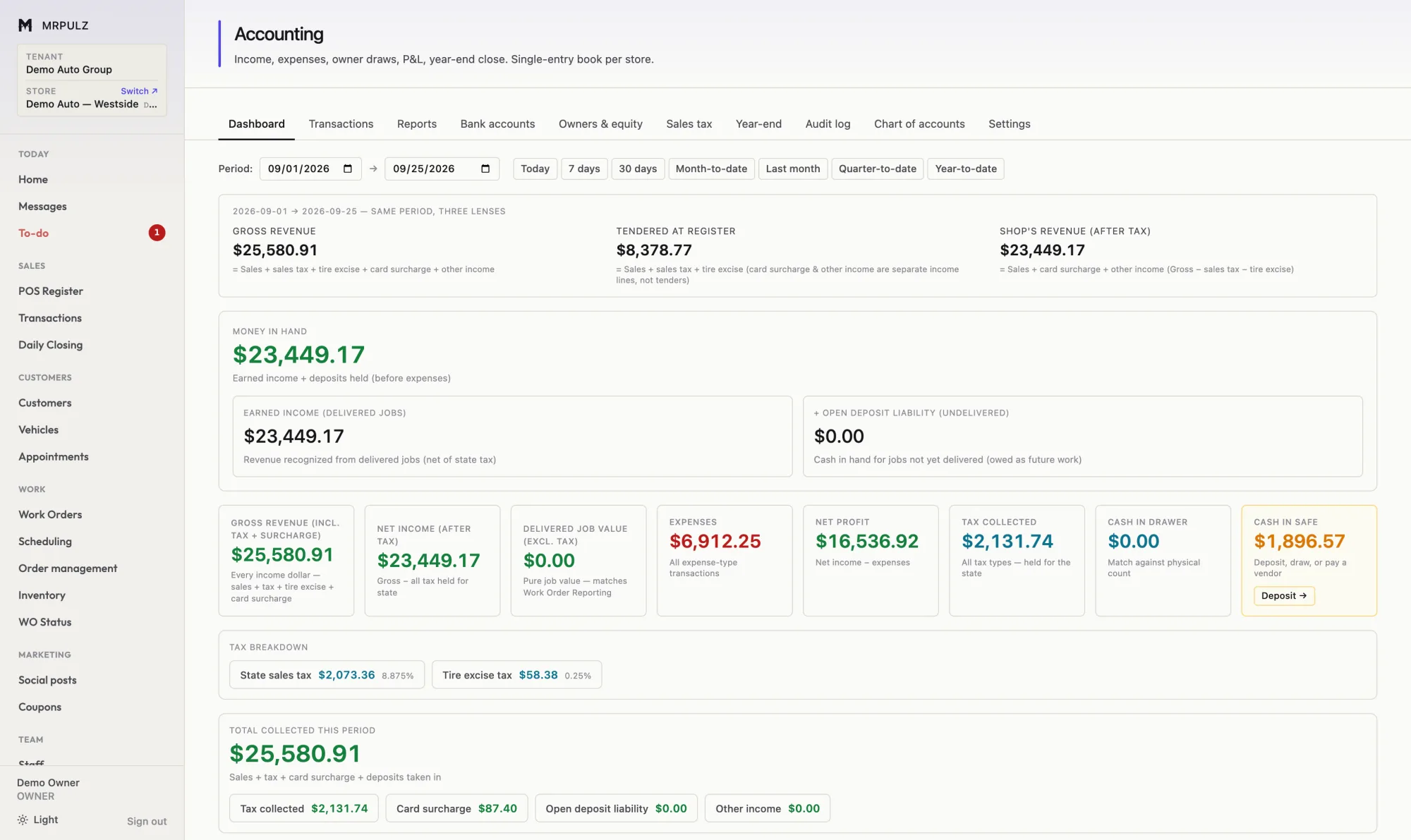
Every sale, deposit, refund, card fee and technician hour posts to the books as it happens. The P&L is current because nothing is waiting to be entered.
- Sales, refunds, deposits and card fees posted automatically
- Deposits on undelivered work shown as a liability
- Sales tax and tire excise tracked as held, not earned
- Owner draws and capital kept out of operating profit
- Bank statement import with matching
Reporting
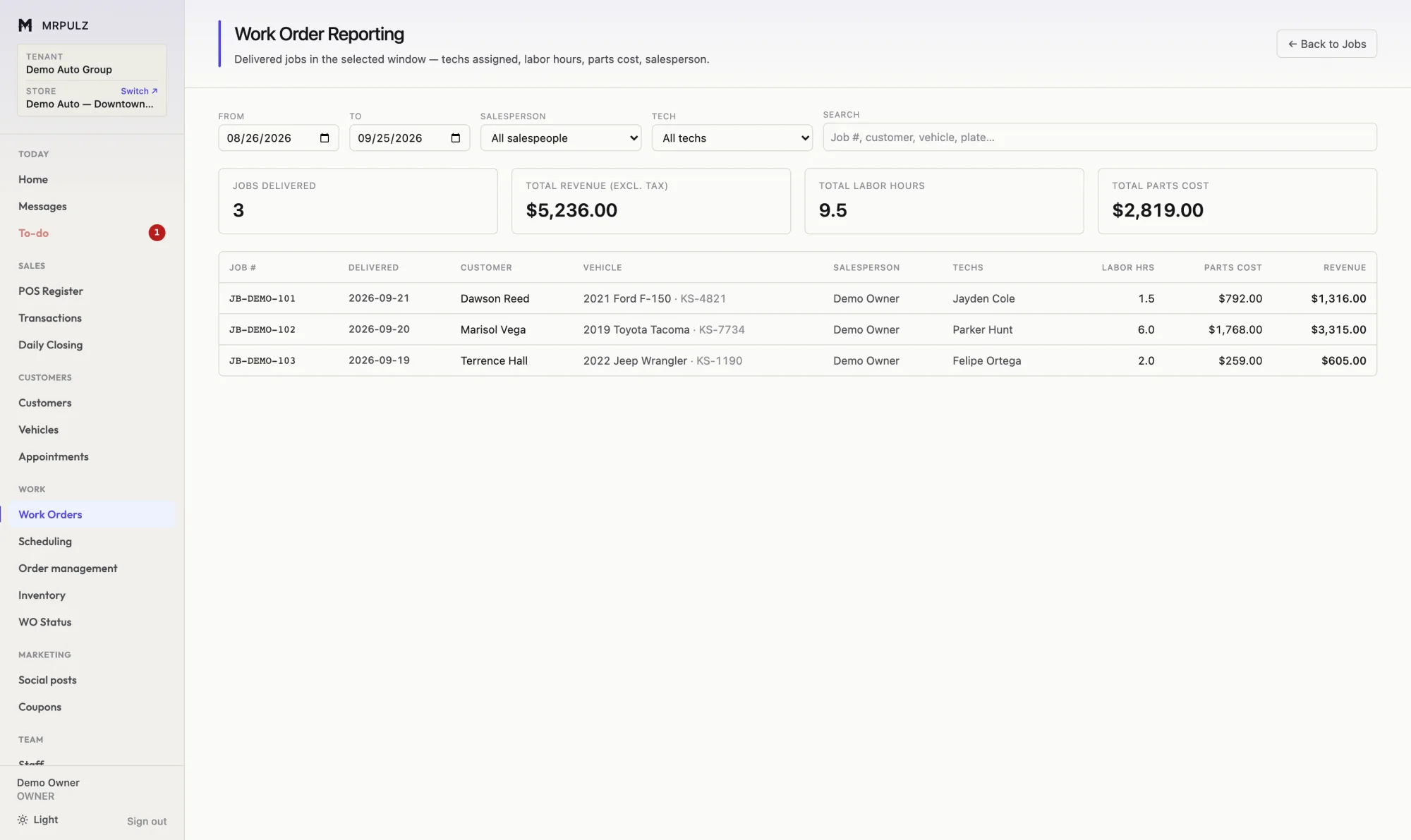
Job profit starts from what the customer actually paid and works down: parts at cost, technician pay at whatever the tech is actually paid, tax that was collected on behalf of the state, card fees, discounts given at the counter. What is left is what the shop kept.
- Per-job profit after parts, labor, tax, fees and discounts
- Every percentage against one denominator, so they compare
- Technician flag hours against hours actually taken
- Days from approval to delivery, per job and averaged
- Sales by item, category, customer and salesperson
Multiple locations
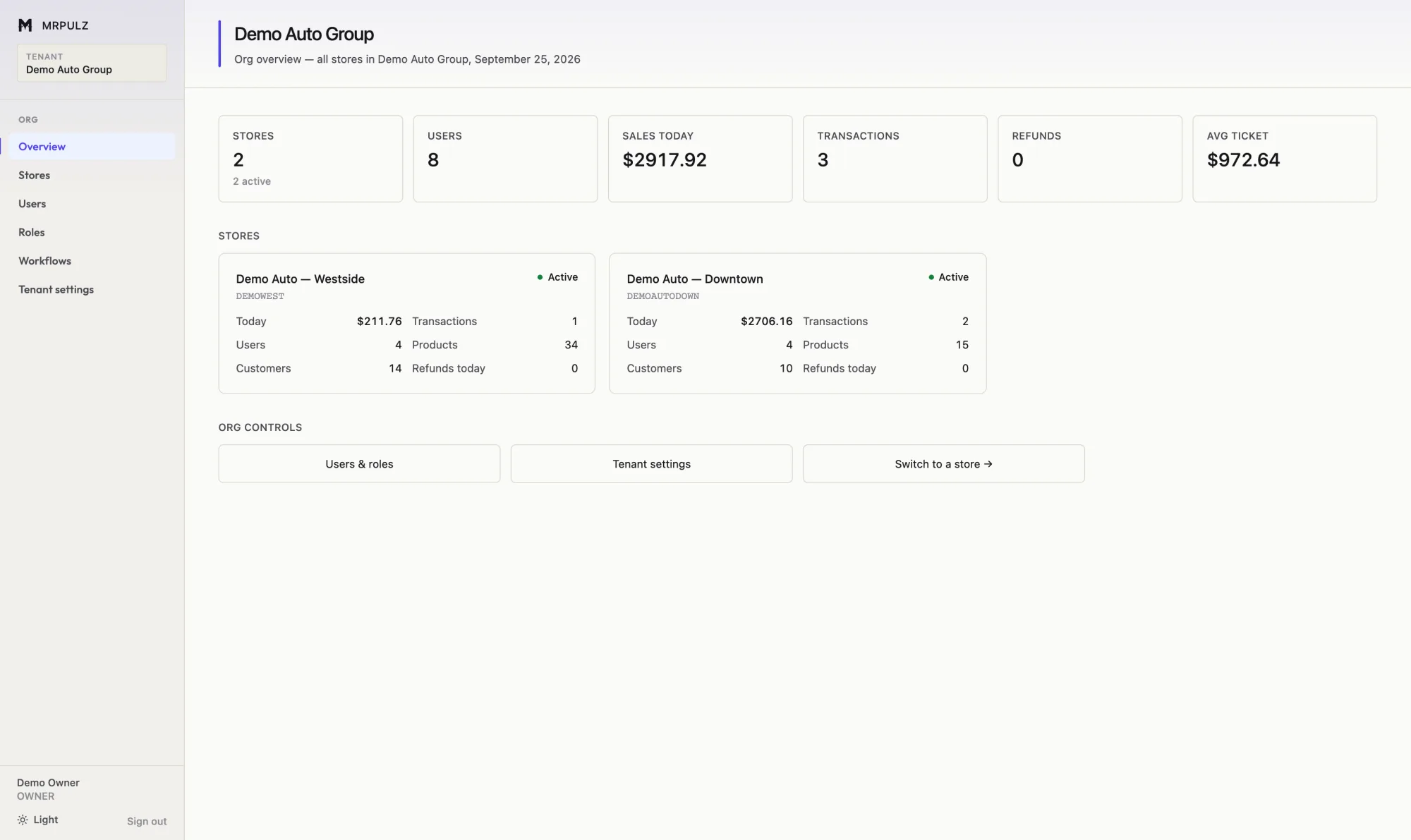
MRPULZ is built around a company that may have more than one shop. Each location keeps its own inventory, its own staff, its own books and its own job numbering — because they are genuinely separate operations and merging them would be wrong.
- Separate stock, staff, books and numbering per location
- Shared people, roles and workflow templates
- One screen comparing every location
- Staff scoped to the shops they work at
- Switch locations without signing out
Put one of your own jobs through it
14 days with everything switched on and no card on file. If it does not fit how you work, nothing happens when the trial ends.
Start free