Skip to content
MRPULZ

Every screen, with data in it

Screens from a working shop rather than an empty demo, so you can judge whether your staff could actually use it.

The work

Jobs from the first quote through to handing the keys back.

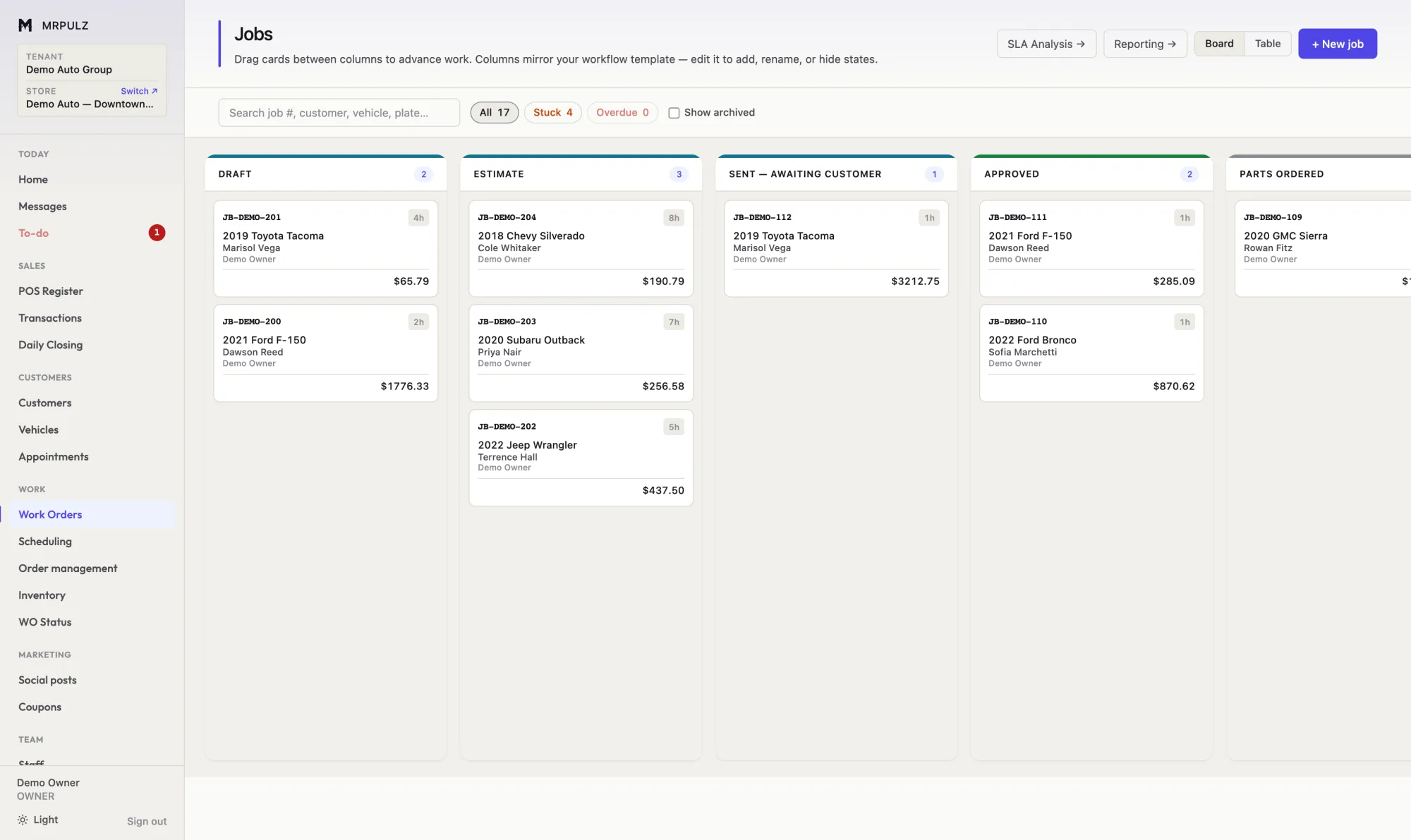
Work order board with columns for draft, estimate, sent to customer, approved and parts ordered, each holding job cards showing vehicle, customer and total
Work order board — drag between stages, or advance from the ticket.
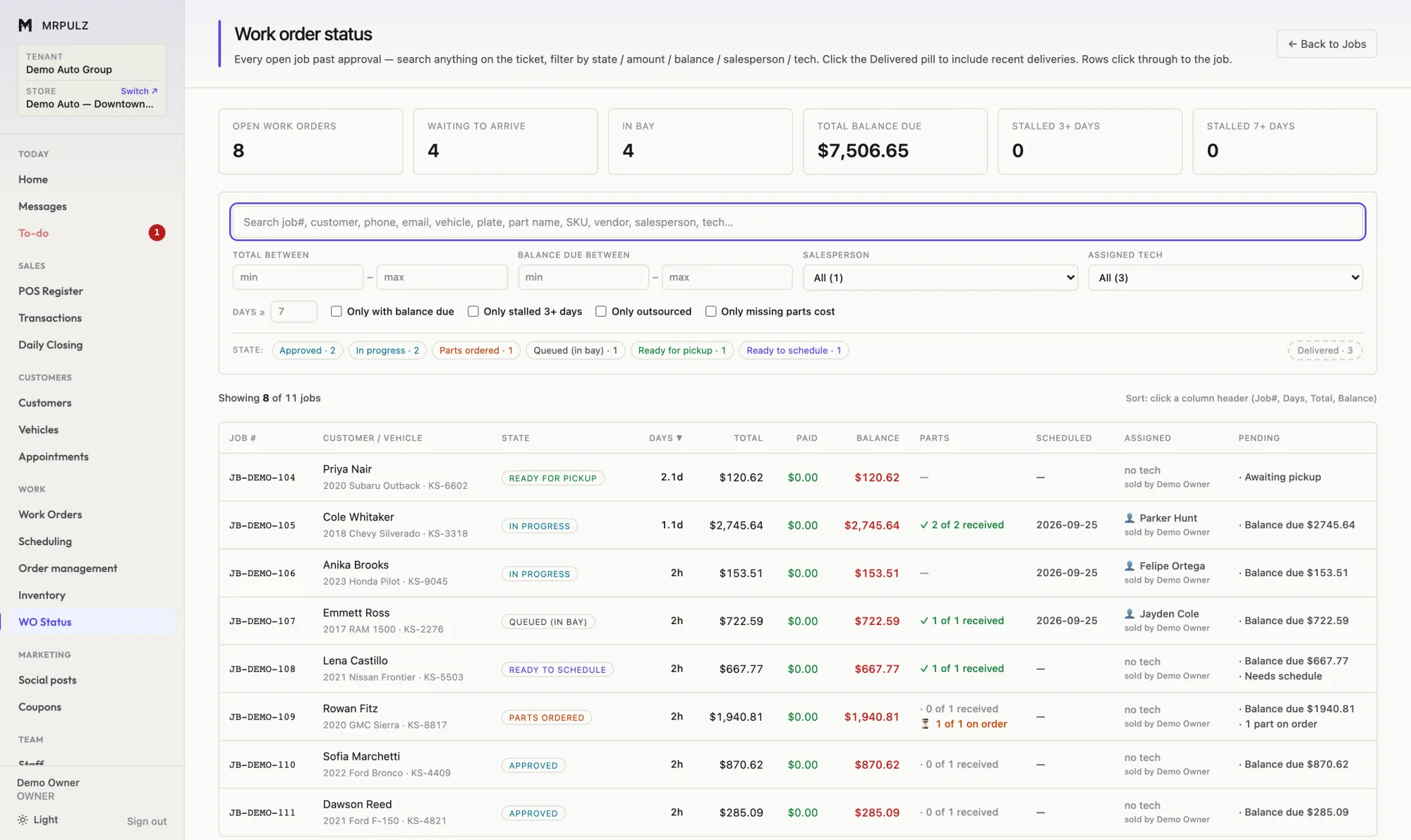
Work order status table listing open jobs with customer, vehicle, state, days open, total, paid, balance due, parts status and assigned technician
Work order status — every open job, filterable by anything on the ticket.
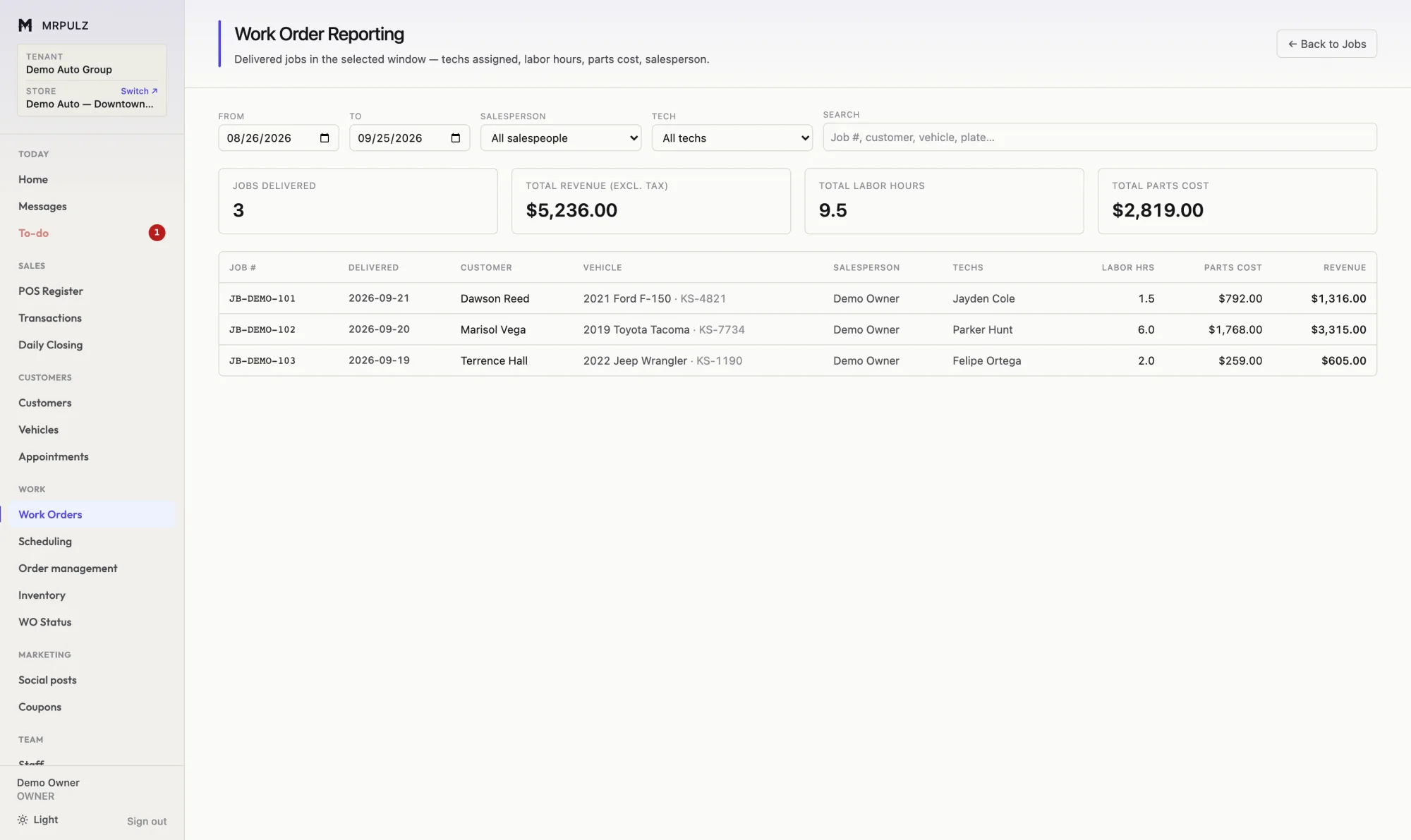
Work order profitability report listing delivered jobs with customer, vehicle, technician, labor hours, parts cost and revenue
Job profitability — what each delivered job actually made.
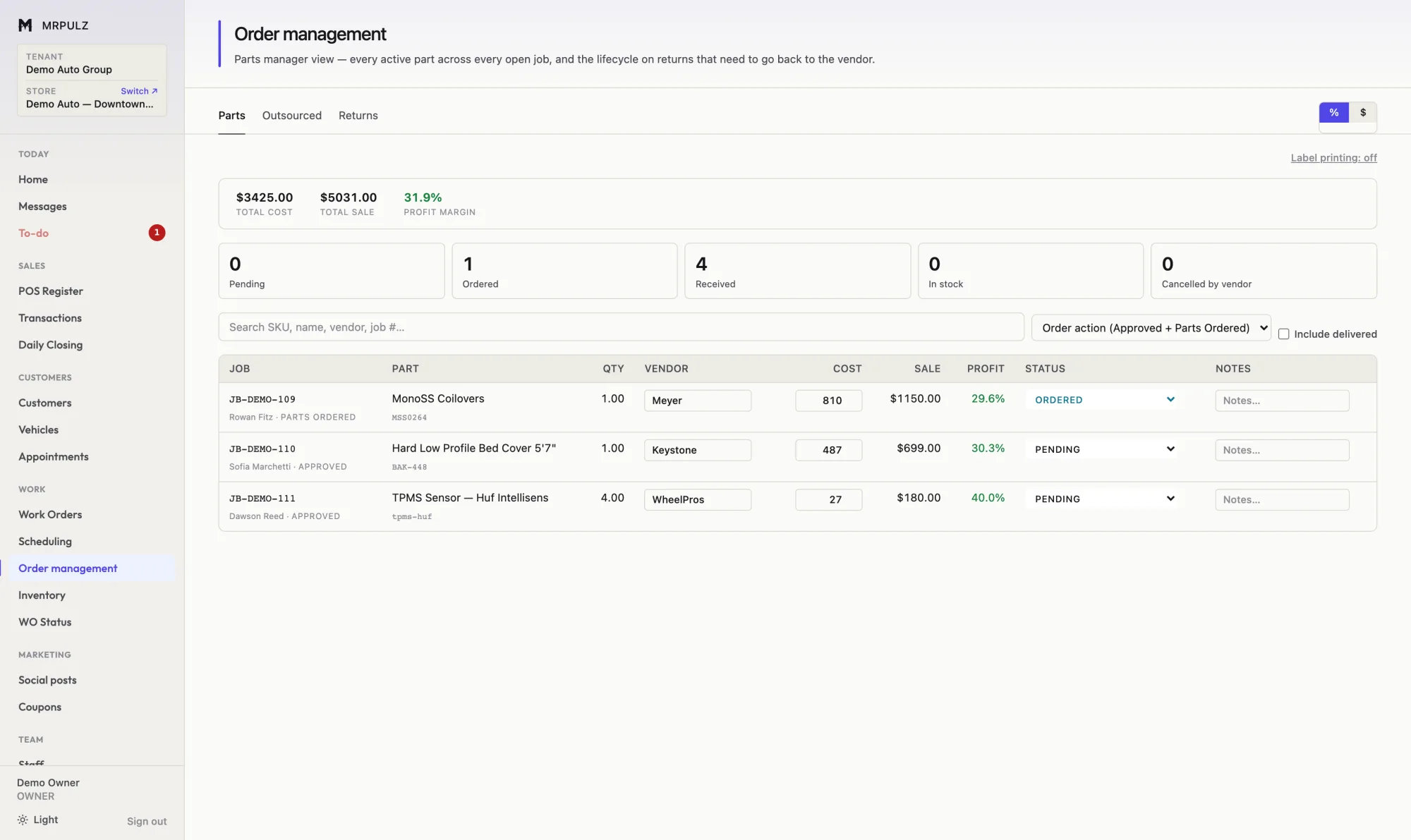
Parts order management screen listing parts by job with vendor, cost, sale price, margin and order status
Parts ordering — vendor, cost, sale and margin per line.

The week

Who is coming in, and who is free to work on it.

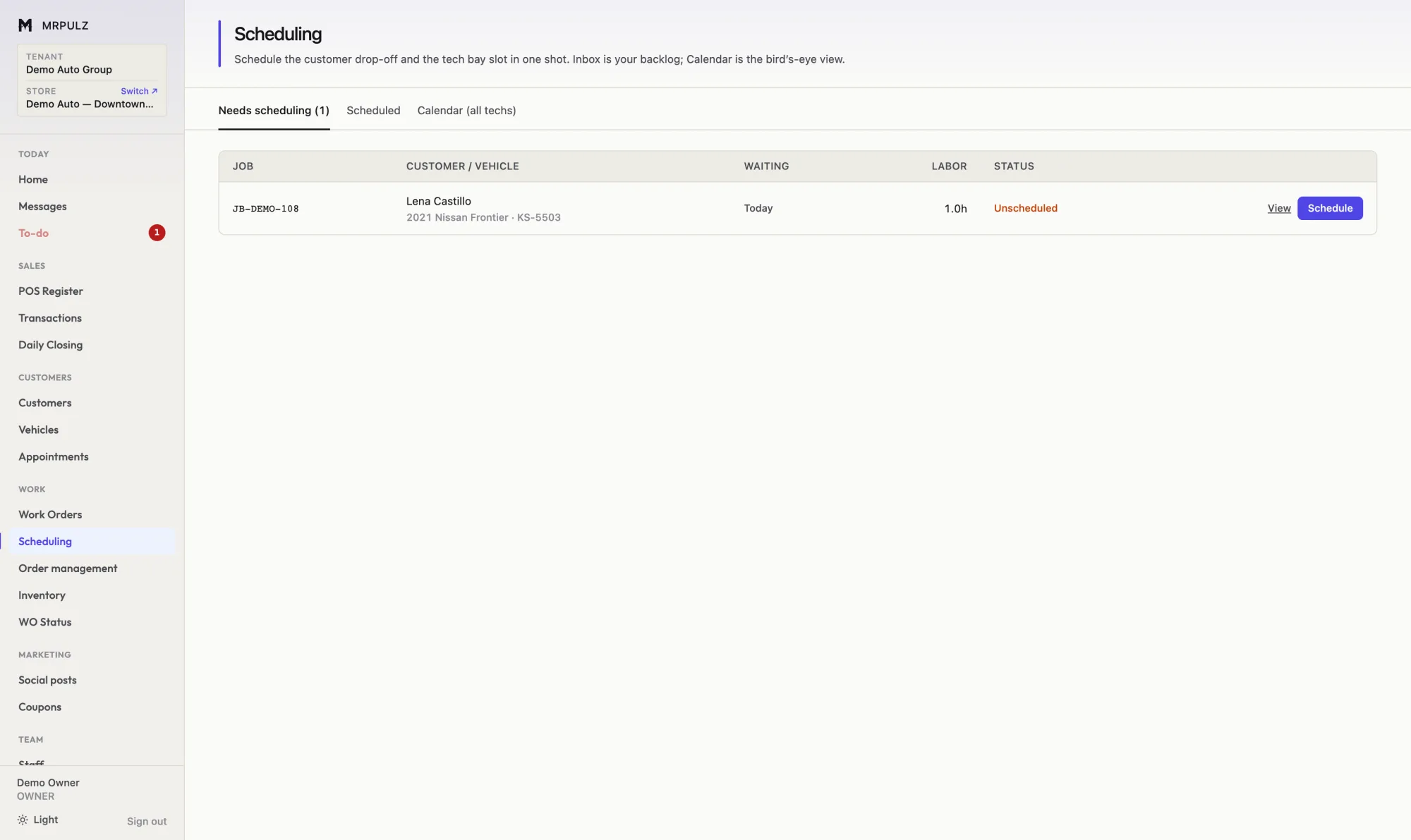
Scheduling screen with an inbox of approved jobs waiting for a slot beside a calendar of technician bay slots
Scheduling — the backlog and the bay, in one place.
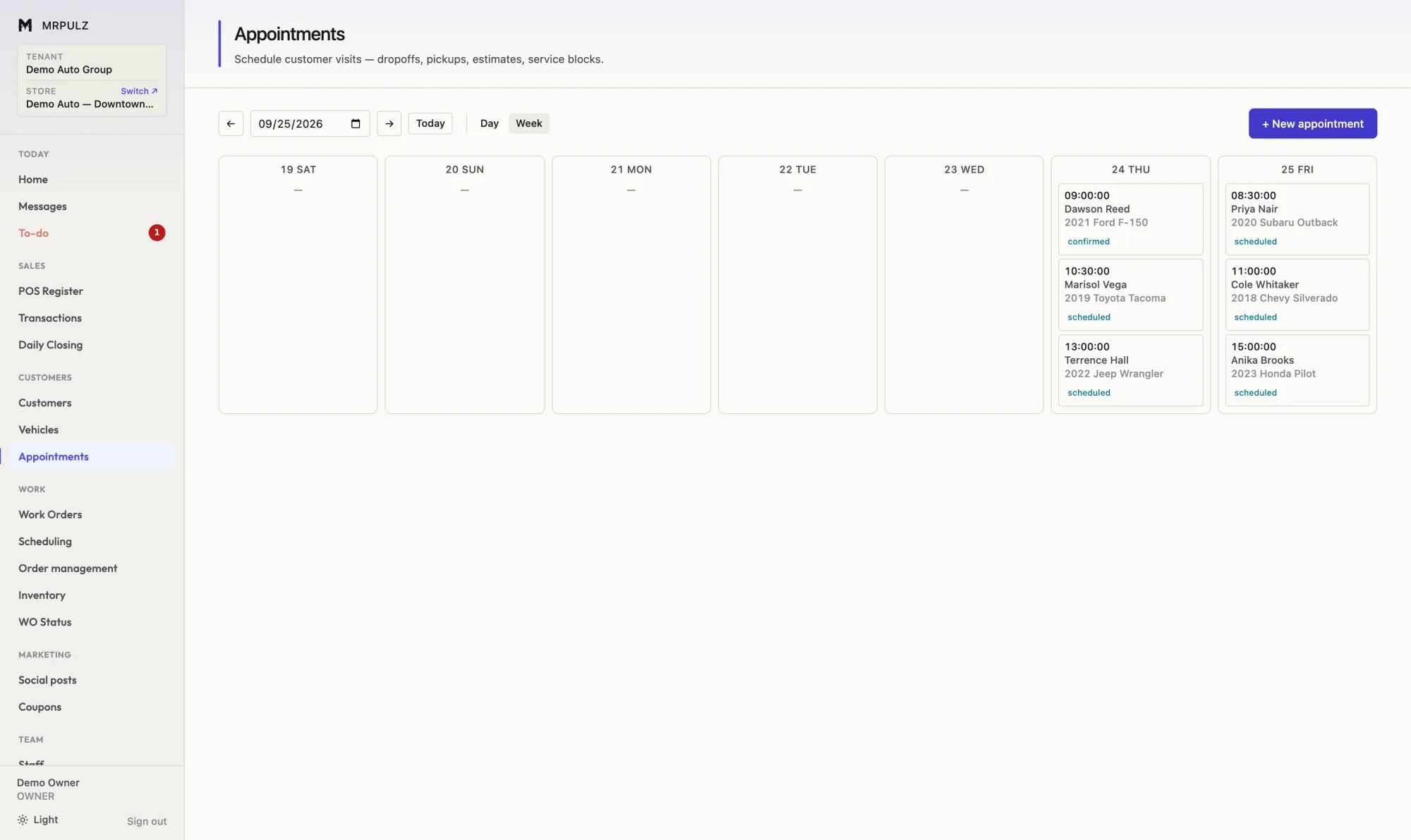
Weekly appointment calendar with bookings showing service, customer, vehicle and confirmation status
Appointments — the week ahead with the vehicle on every booking.

The counter

Selling, and the record it leaves behind.

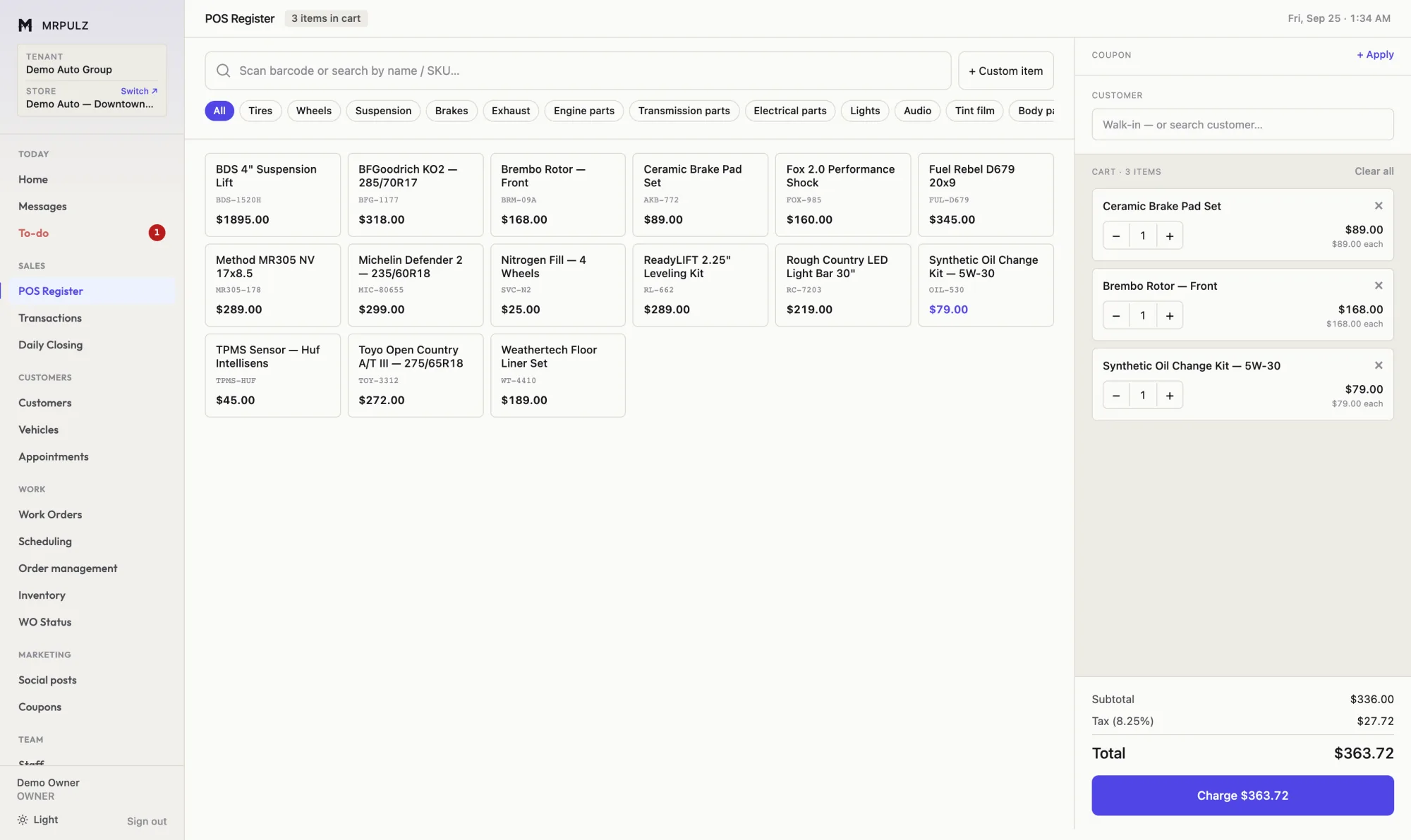
Point of sale register showing a product grid organized by category with a running cart, subtotal, tax and total
Register — scan or tap, split the tender, print the receipt.
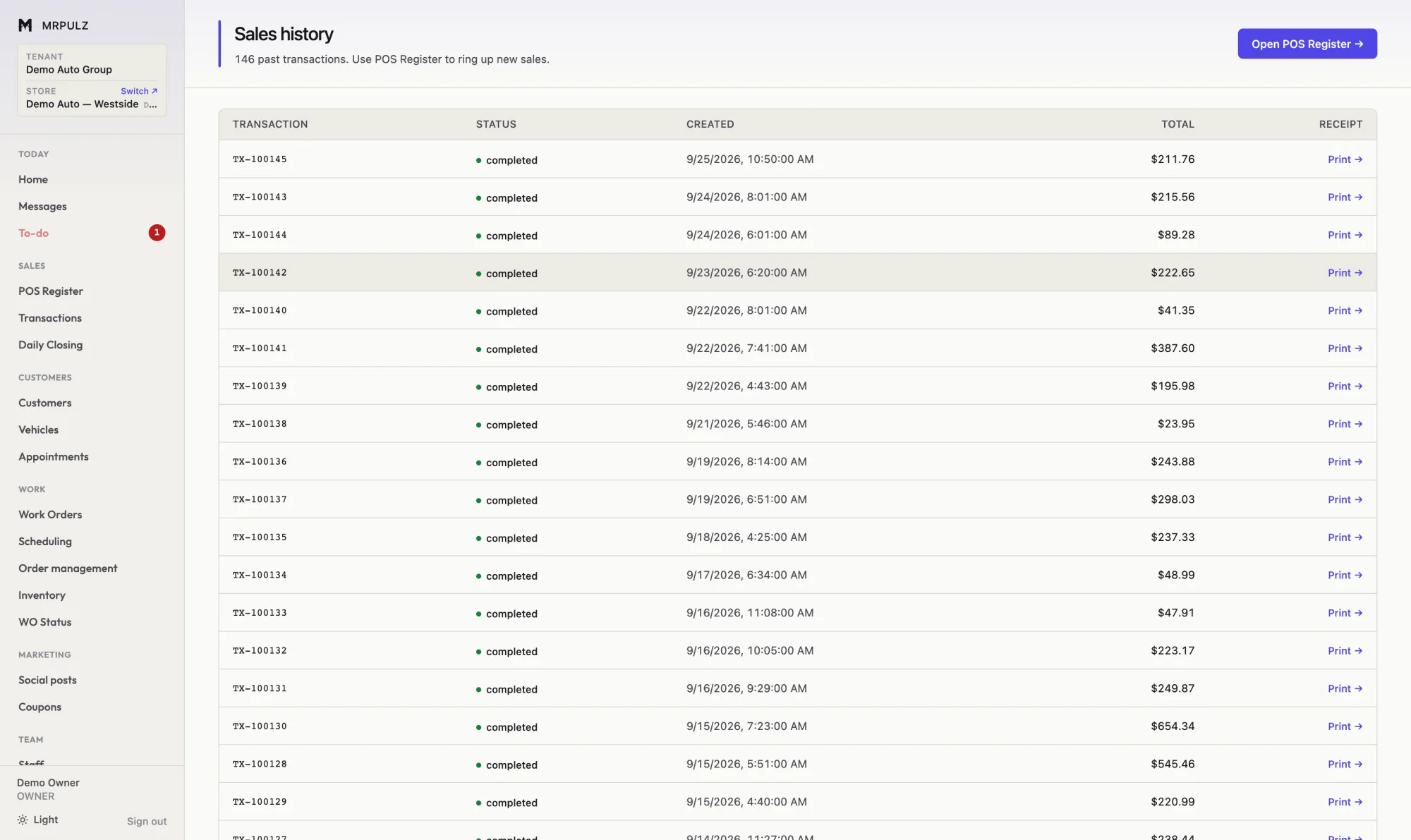
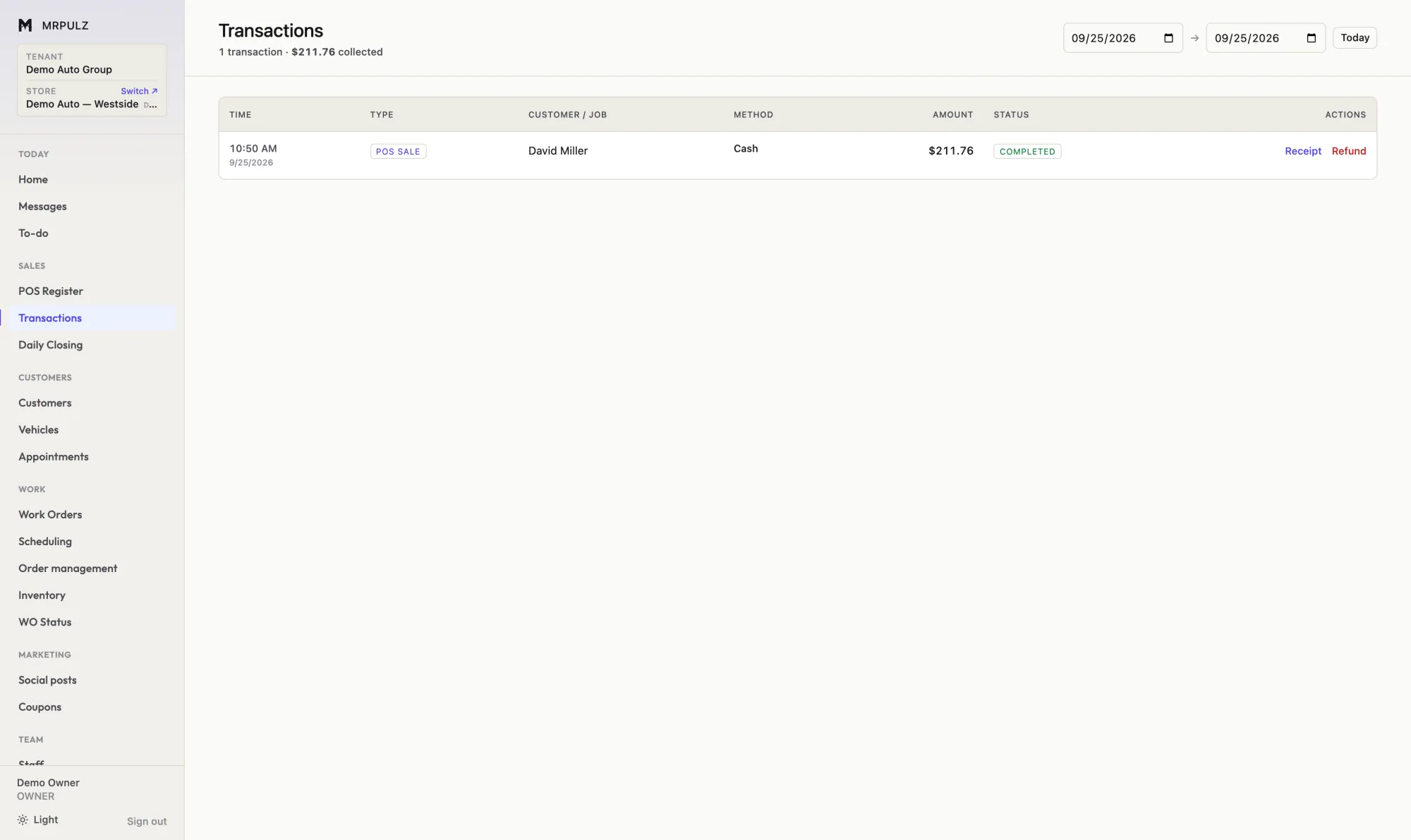
Sales history list showing completed transactions with date, transaction number, customer, item count and total
Sales history — searchable, with the receipt one click away.
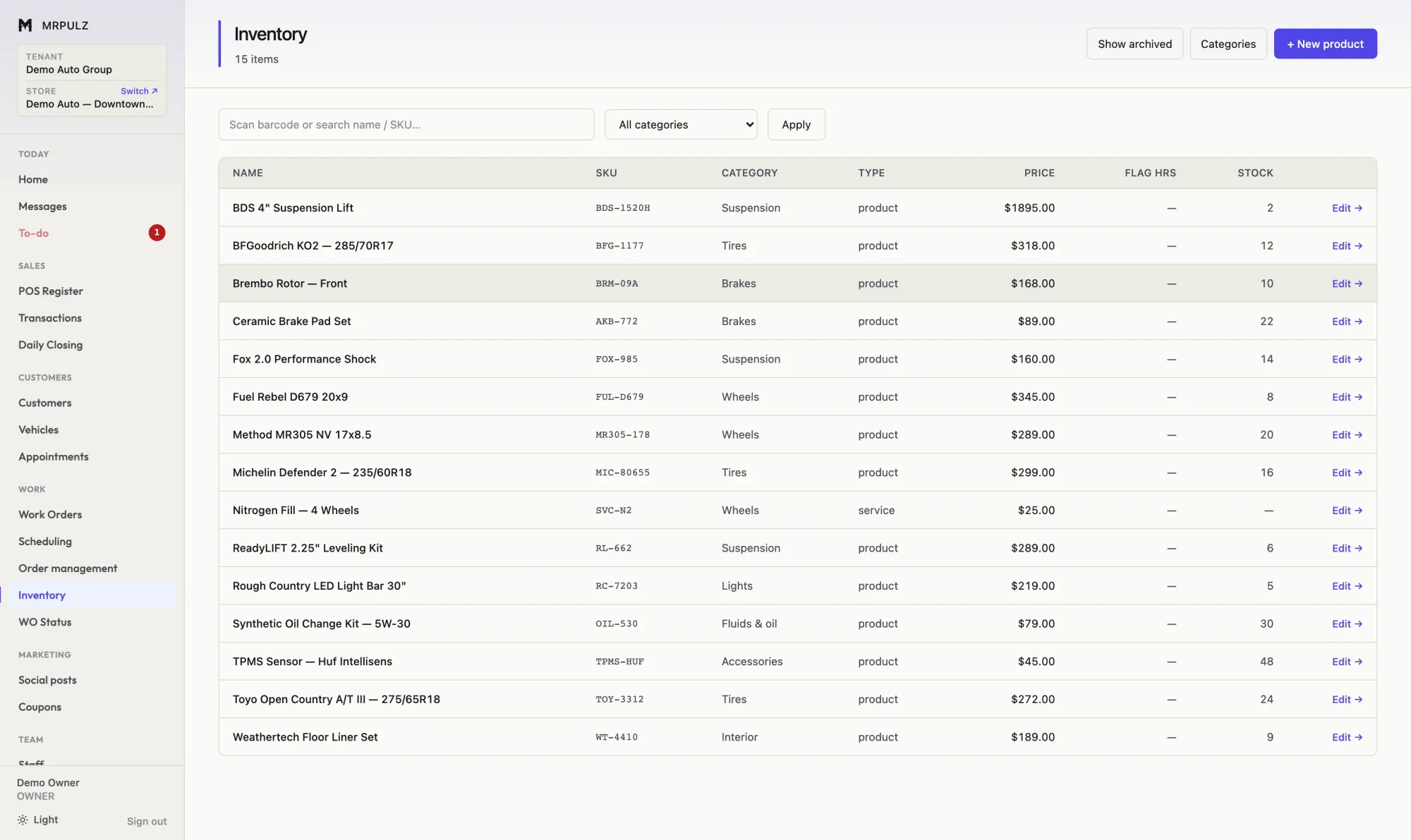
Inventory list showing products with SKU, category, price, cost and quantity in stock
Inventory — one catalog, with cost next to price.
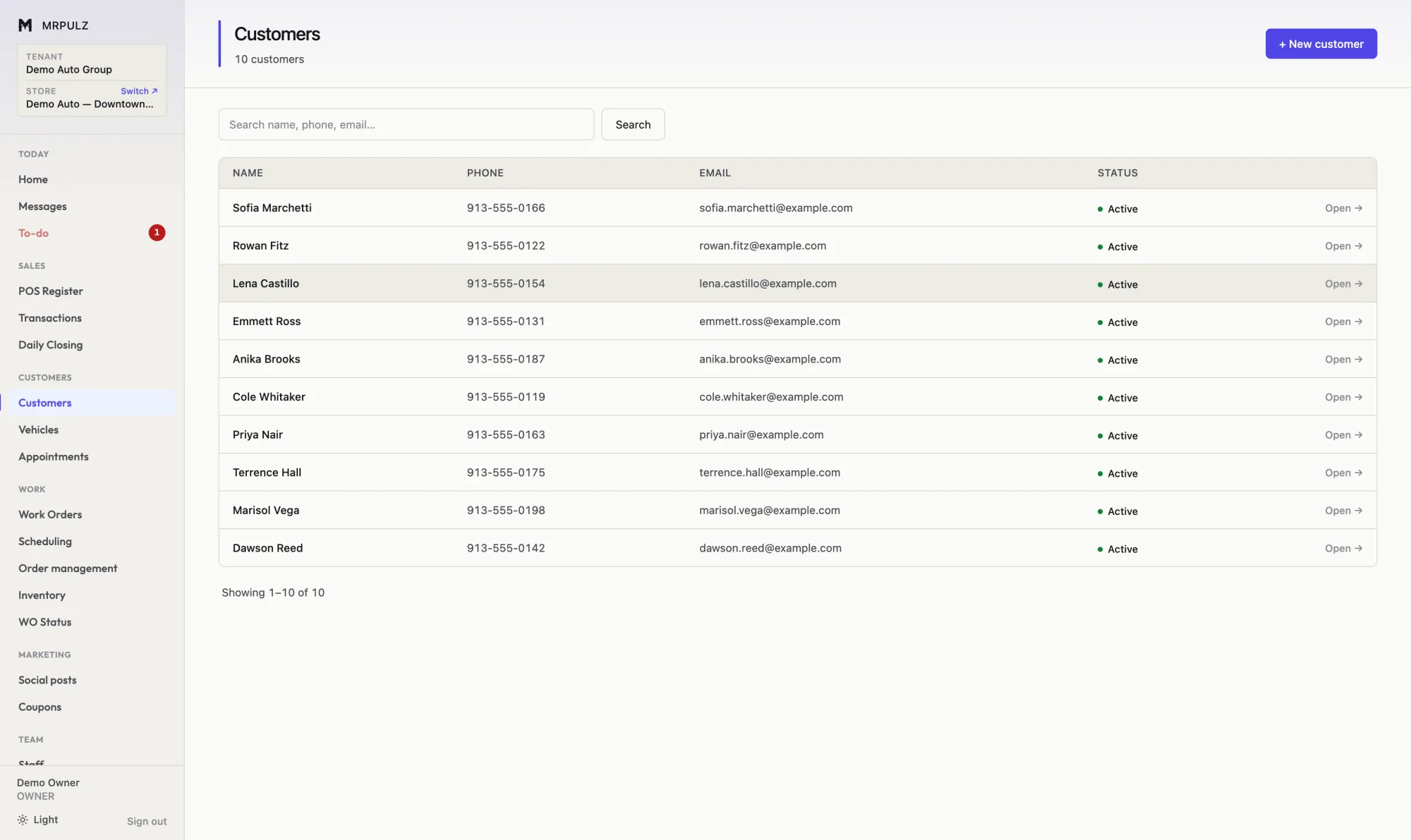
Customer list showing name, phone, email, vehicle count and status
Customers — searchable by name, phone, plate or VIN.

The money

Books that are current because nothing is waiting to be entered.

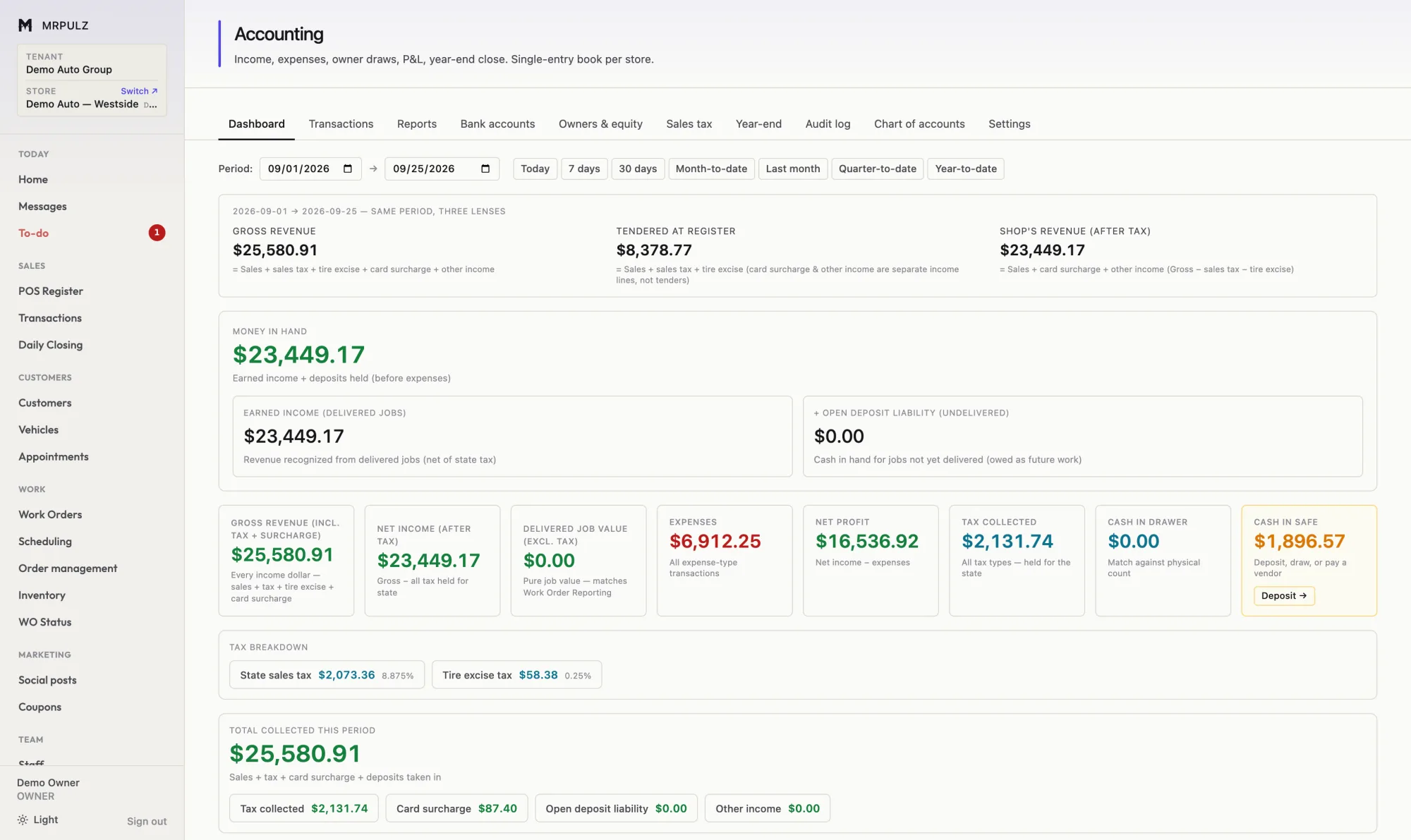
Accounting dashboard showing gross revenue, tendered at register, revenue after tax, money in hand, expenses, net profit and sales tax breakdown
Accounting — the same period through three lenses.
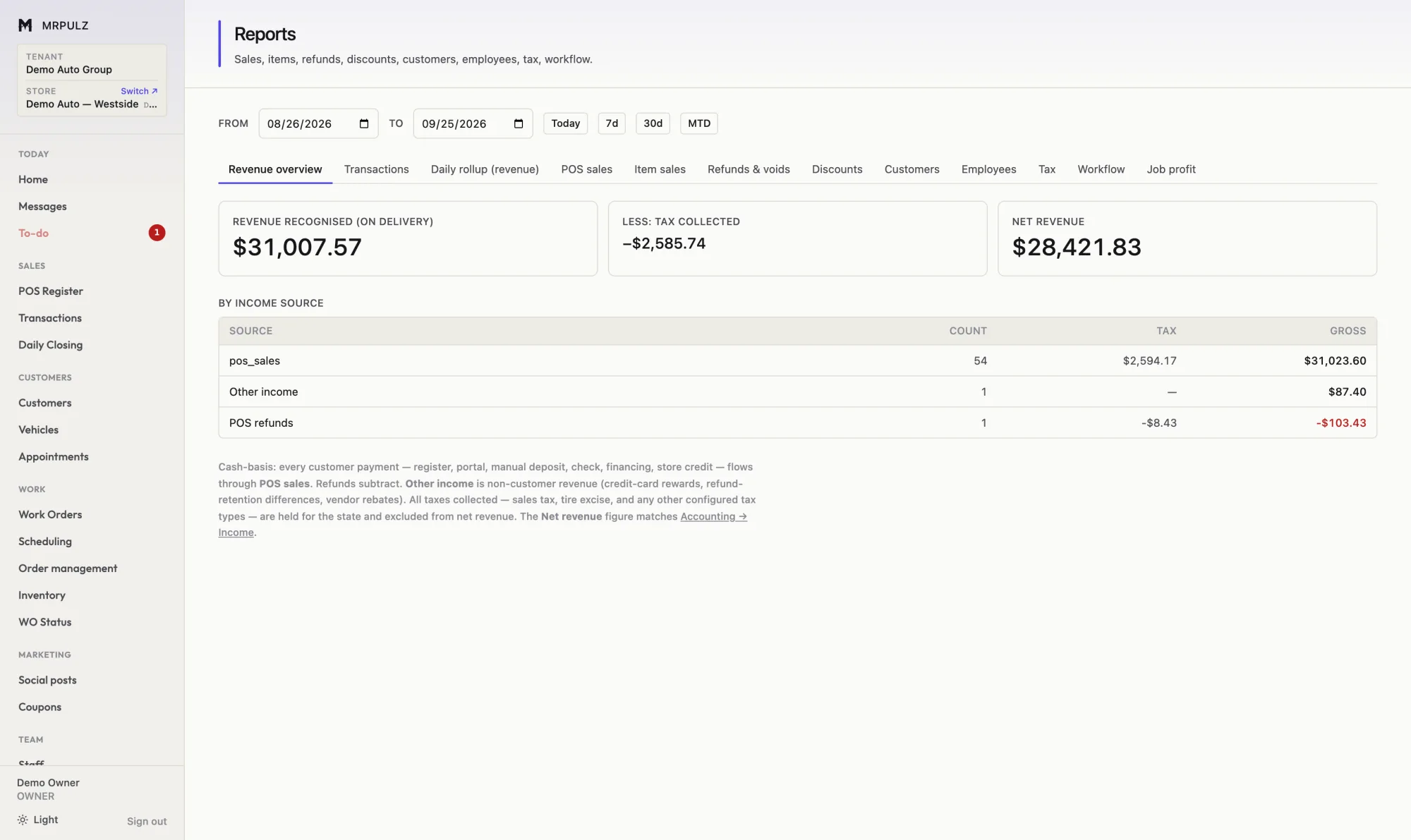
Revenue reporting screen with report tabs and a table breaking revenue down by income source
Reporting — thirteen reports over one date range.
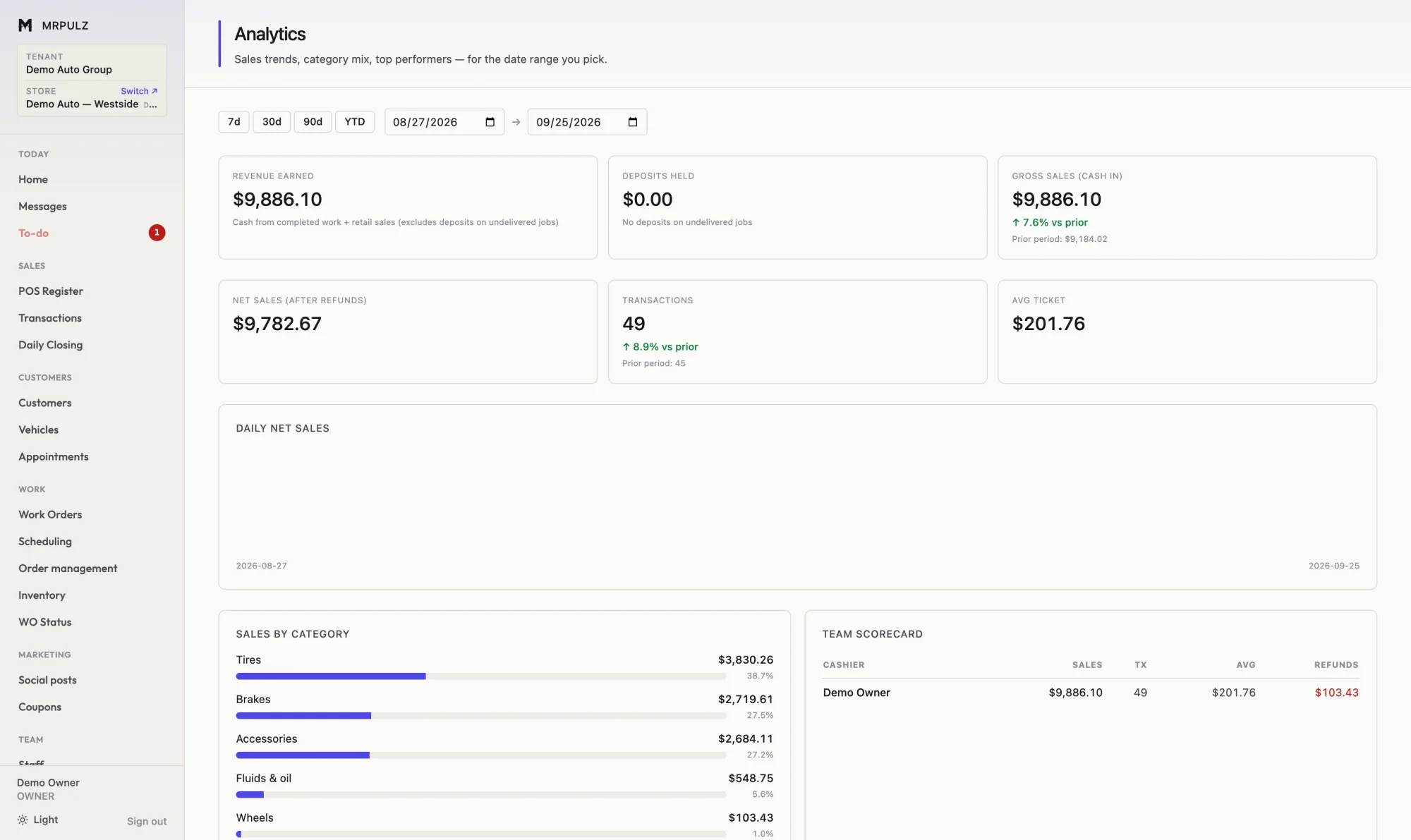
Analytics dashboard with headline figures, a daily net sales bar chart and a sales-by-category breakdown
Analytics — the trend, and what is driving it.
Accounting transactions list with date, type, category, account, description and amount
Transactions — every entry, with what created it.

The company

More than one shop, and who can do what in each.

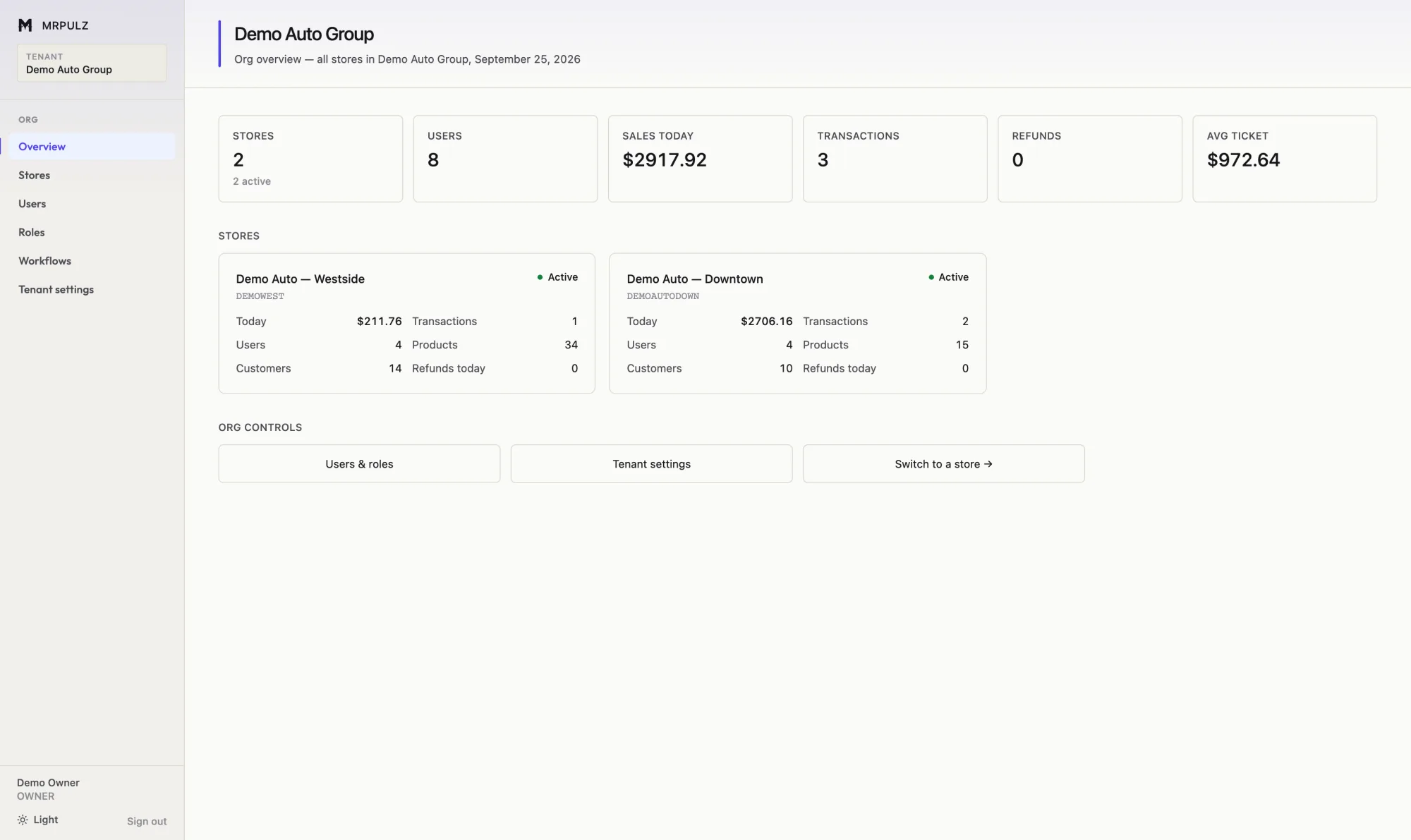
Company overview comparing two shop locations side by side with sales, transactions, users, products and customers for each
Org overview — every location side by side.
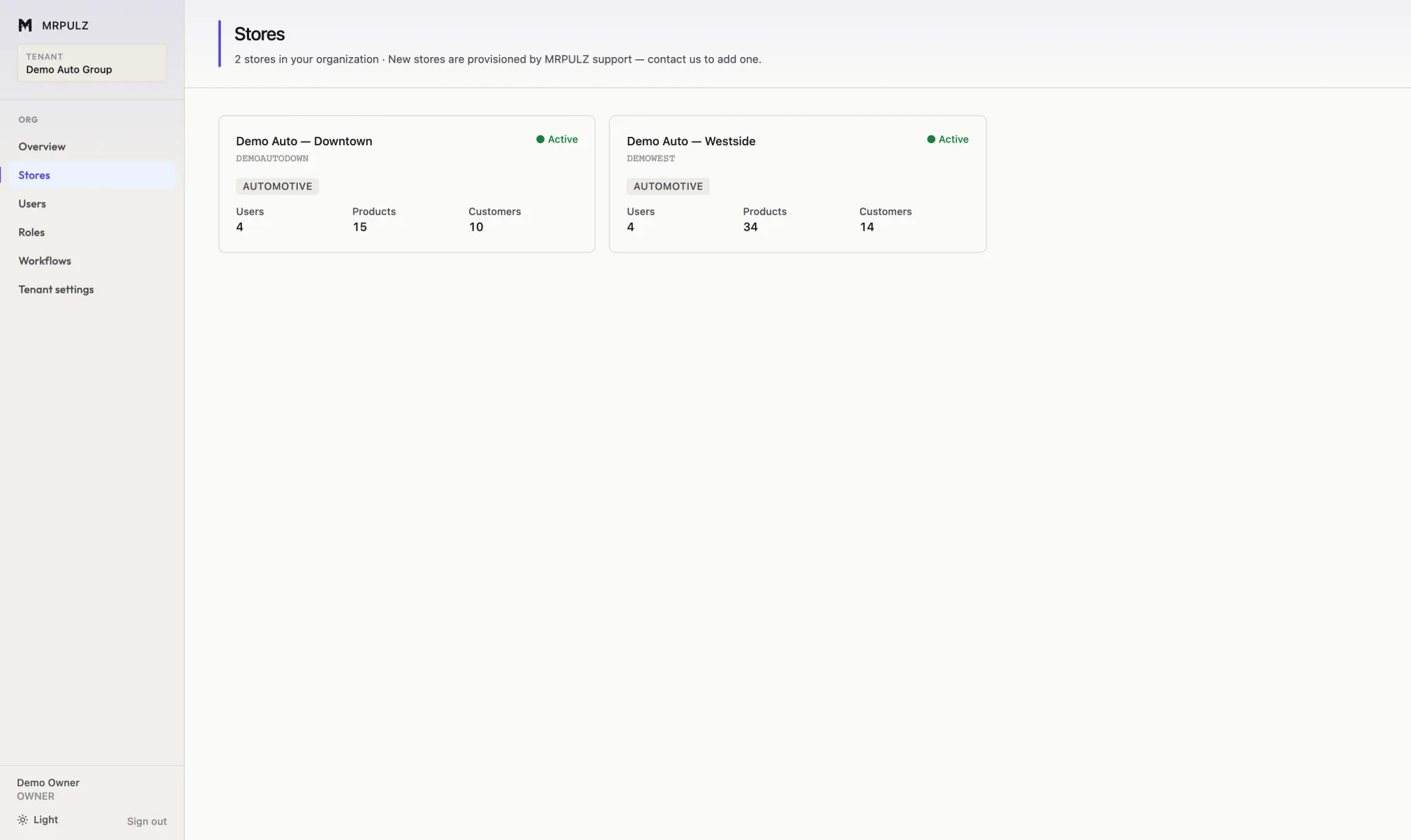
List of store locations with status, staff count, product count and customer count
Locations — and what each one is carrying.
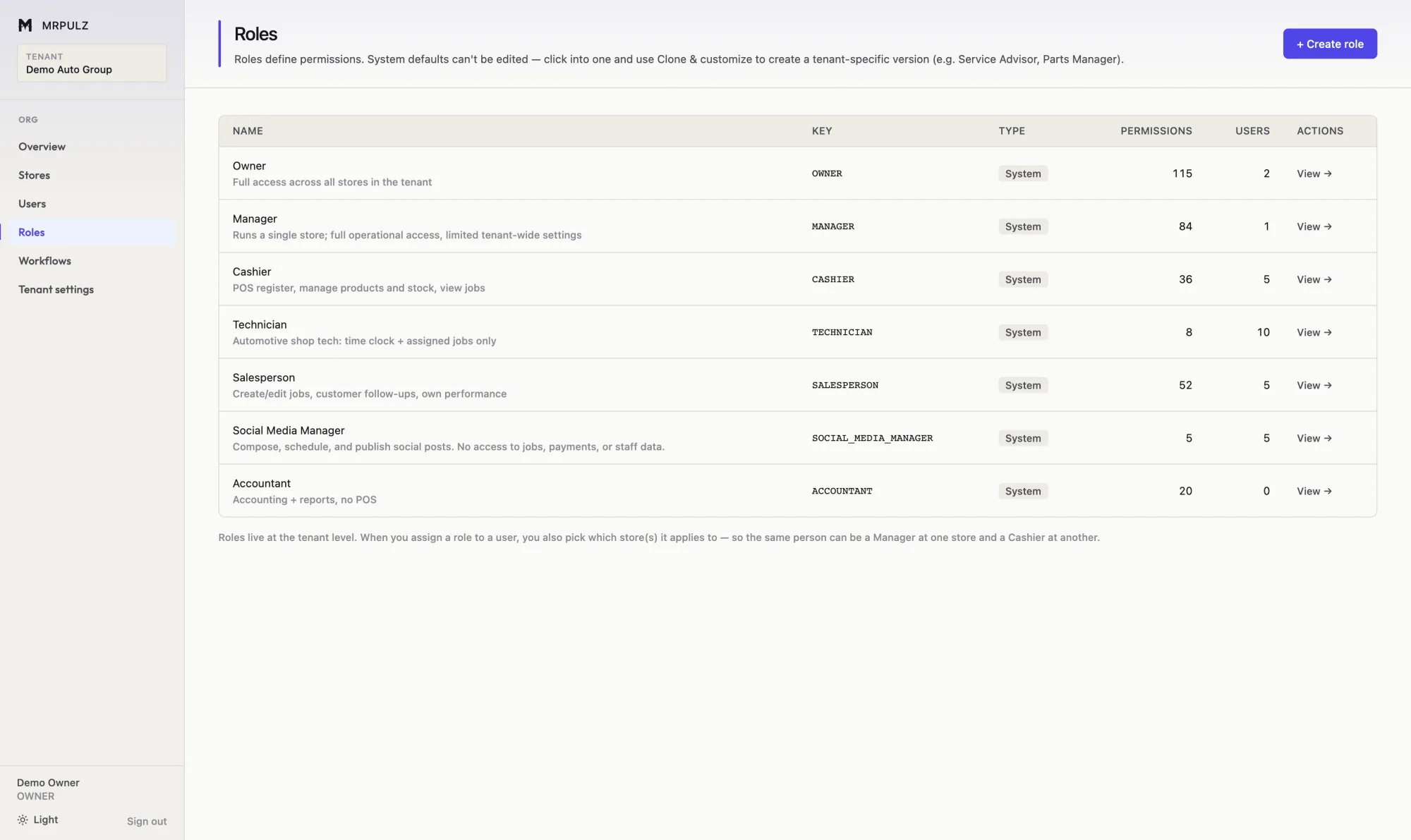
Roles screen listing each role with the number of permissions granted and users assigned
Roles — defined by you, scoped per location.
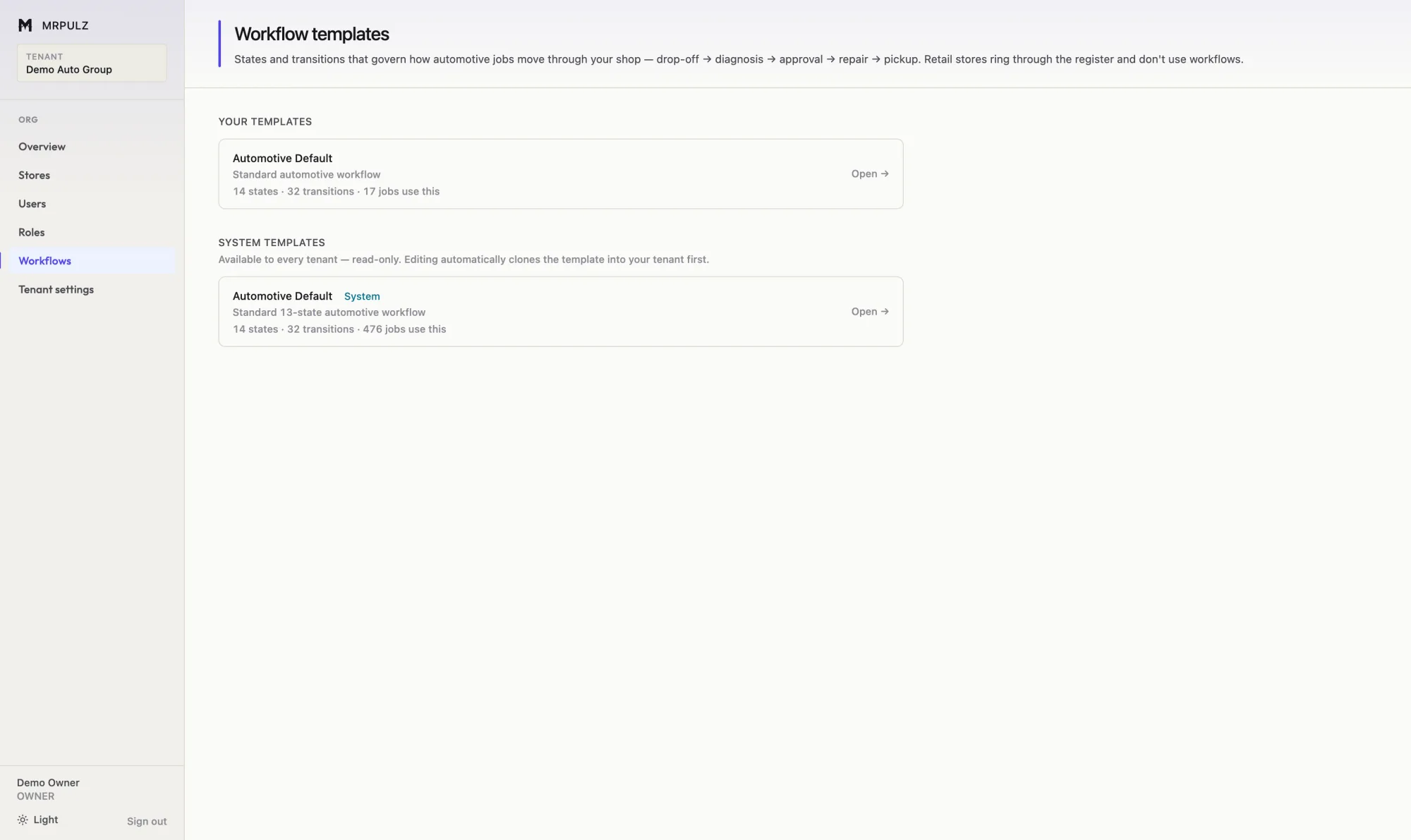
Workflow templates screen listing configured workflow templates with their state counts
Workflow — the stages are configuration, not code.

Getting the word out

The work you just finished is the best advertising you have.

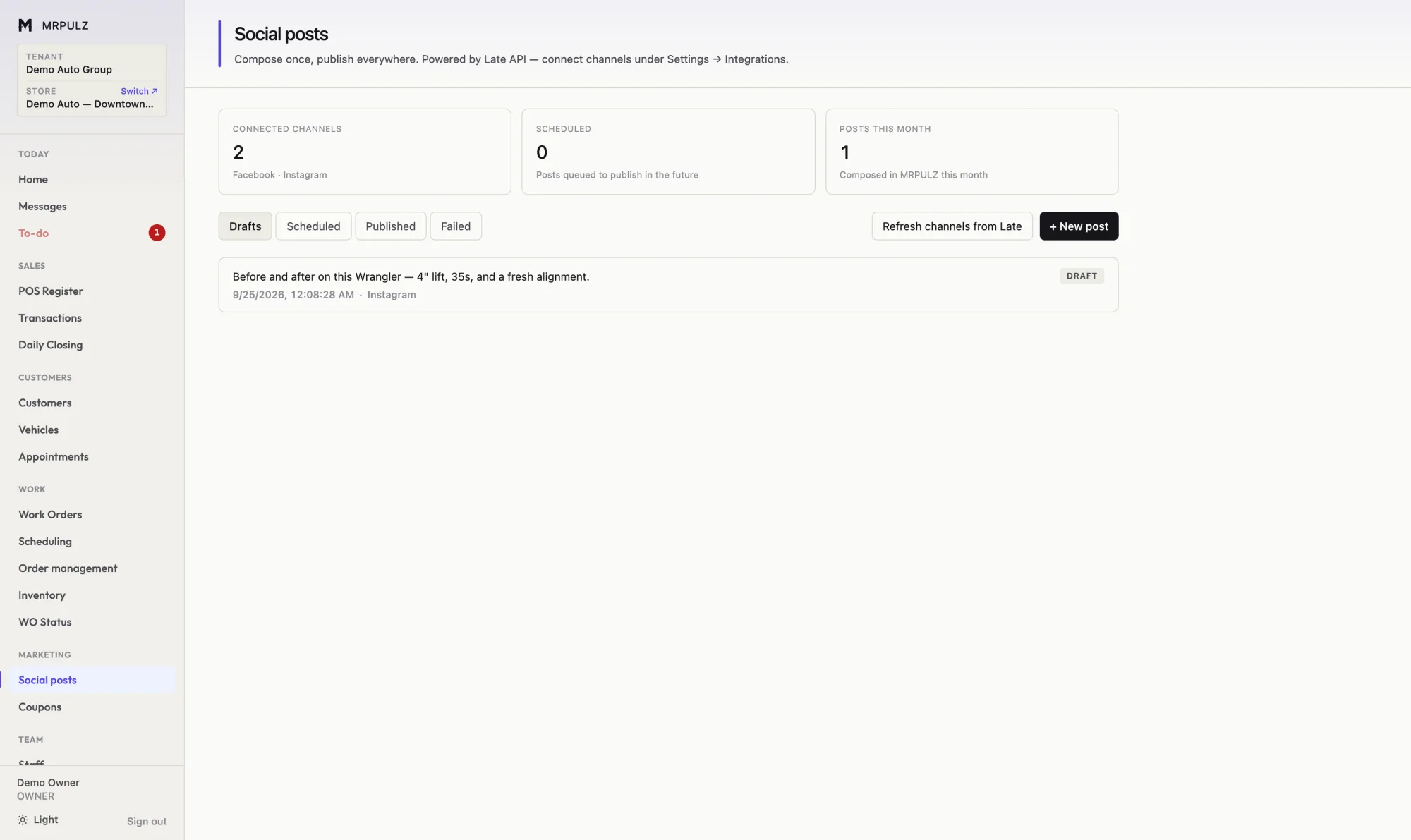
Social posting screen showing published and scheduled posts for Facebook and Instagram with content and scheduled dates
Social — write once, post to Facebook and Instagram, schedule ahead.
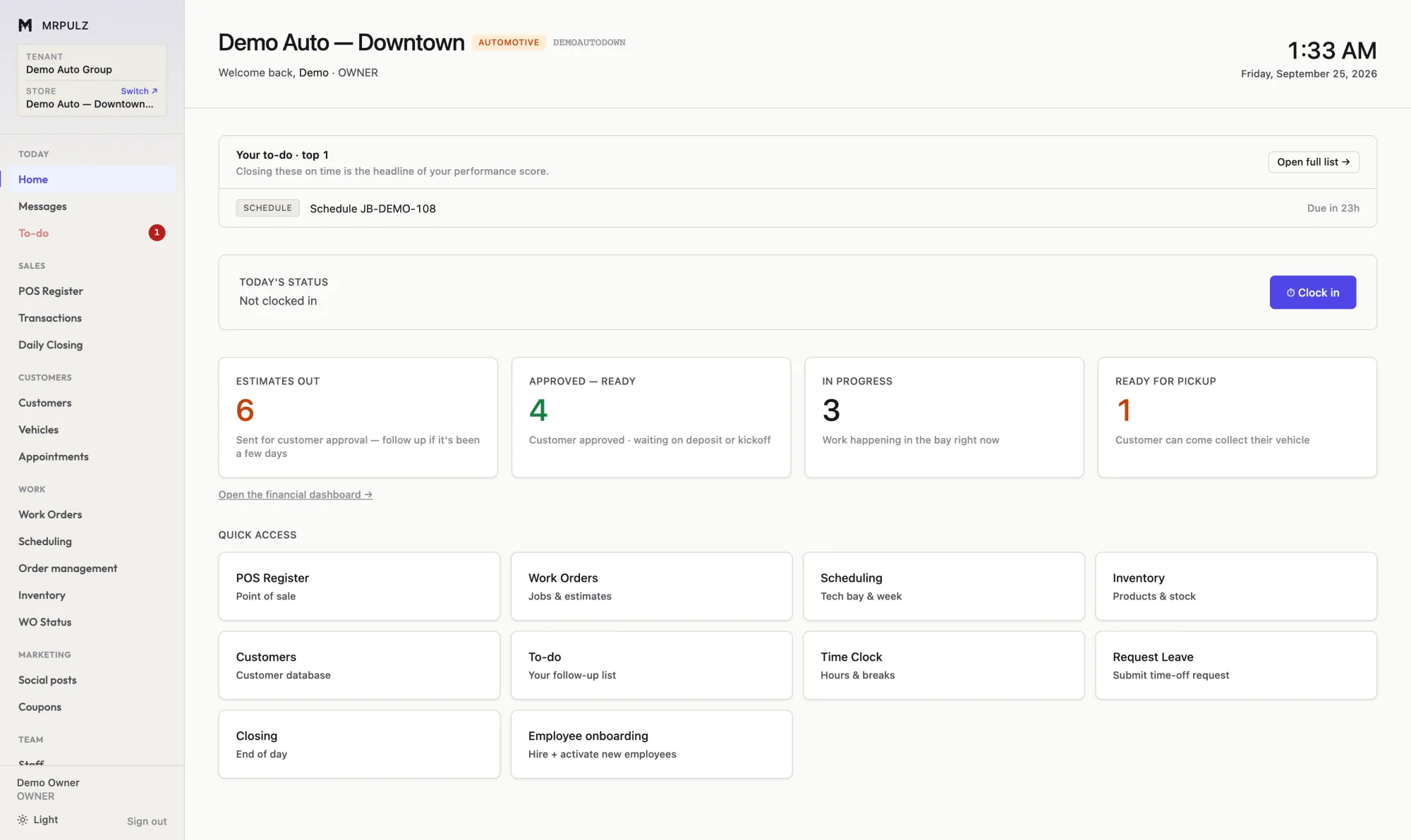
Store home dashboard showing job pipeline counts, a to-do list, the time clock and quick access tiles
Store home — where everyone starts the day.

See it with your own numbers in it

Two weeks, everything switched on, no card on file.

Start free